Changelogs
Stay up to date with the latest changes and enhancements.
Stay up to date with the latest changes and enhancements.

10. Nov 2025
Share
 Watch the Release Notes Video
 Highlights
SendFlow V2: end-to-end deal outreach in a streamlined flow (matching, AI intros, delivery controls)
Genius Reach, supercharged: instant loads, persistent results, and clear buyer to deal tracking and linking.
Quality of life fixes across DG, notifications, deals-dashboard, and skip tracing.
 SendFlow V2: The Fastest Way to Send and Close Deals
 We rebuilt the deal flow end-to-end and brought matching, personalization, and delivery into a single streamlined flow. Work faster in one place with real-time previews and tighter control over every send.
Real-Time Buyer Filtering – Instantly filter and preview matched buyers by strategy (e.g., Fix n’ Flip, Buy n’ Hold) and property/location characteristics (e.g., Garage, Near a Main Road).
Manual Prospect Addition – Add any buyer using tags or directly searching their name or email/phone-number for complete control over who receives your deal.
AI Builder, Your Way – Use AI for a personalized intro, write your own, or skip the intro entirely.
Rich Media Intros – Drop in a Property Image or Personalized GIF to grab attention.
Advanced AI Controls – Fine-tune how your AI writes; control typos, pacing, tone, and message style. Add writing instructions (like “friendly tone” or “highlight off-market”), define tone (Urgent, Casual or Professional), and set keywords to avoid for consistent branding.
Smart Follow-Up Timing – If a buyer clicks your marketing link but doesn’t reply, the next follow-up is automatically rescheduled within 5–15 minutes; hitting them while interest is fresh.
Pause Unengaged Buyers – Automatically pause follow-ups for buyers who haven’t responded within a set number of days to avoid fatigue.
Channel Selection – Choose the order and timing. For example, send SMS first, wait one minute, then follow up via email.
Delivery Control – Send SMS campaign from a custom number, assigned owner, or disposition manager; set From Name/Email for campaigns.
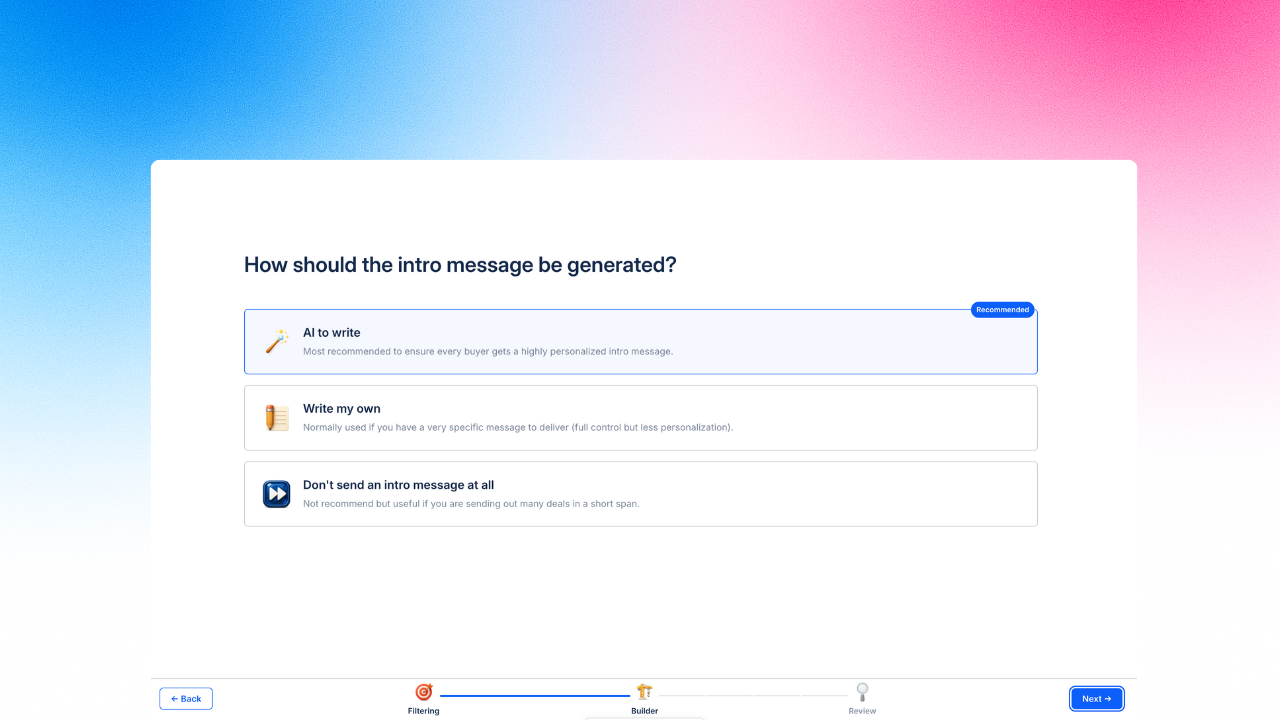
 Image 1 – Intro message generation options.
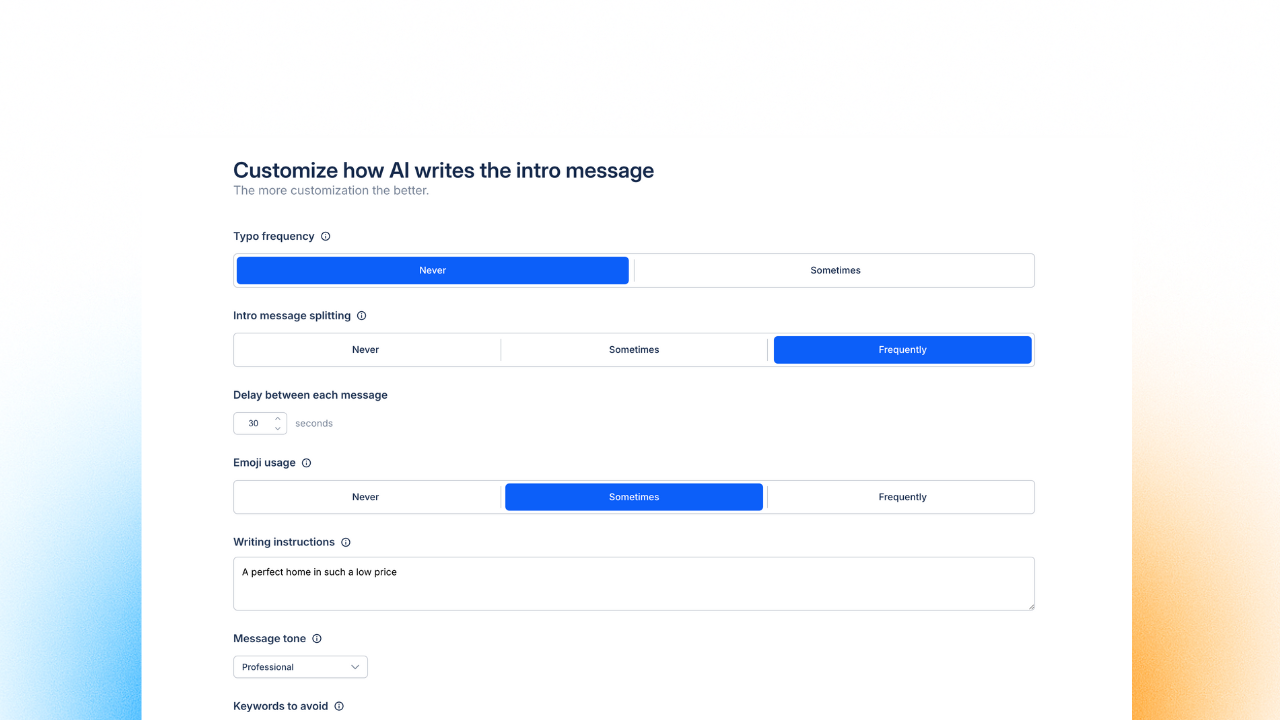
Image 2 – AI intro writing customization controls.
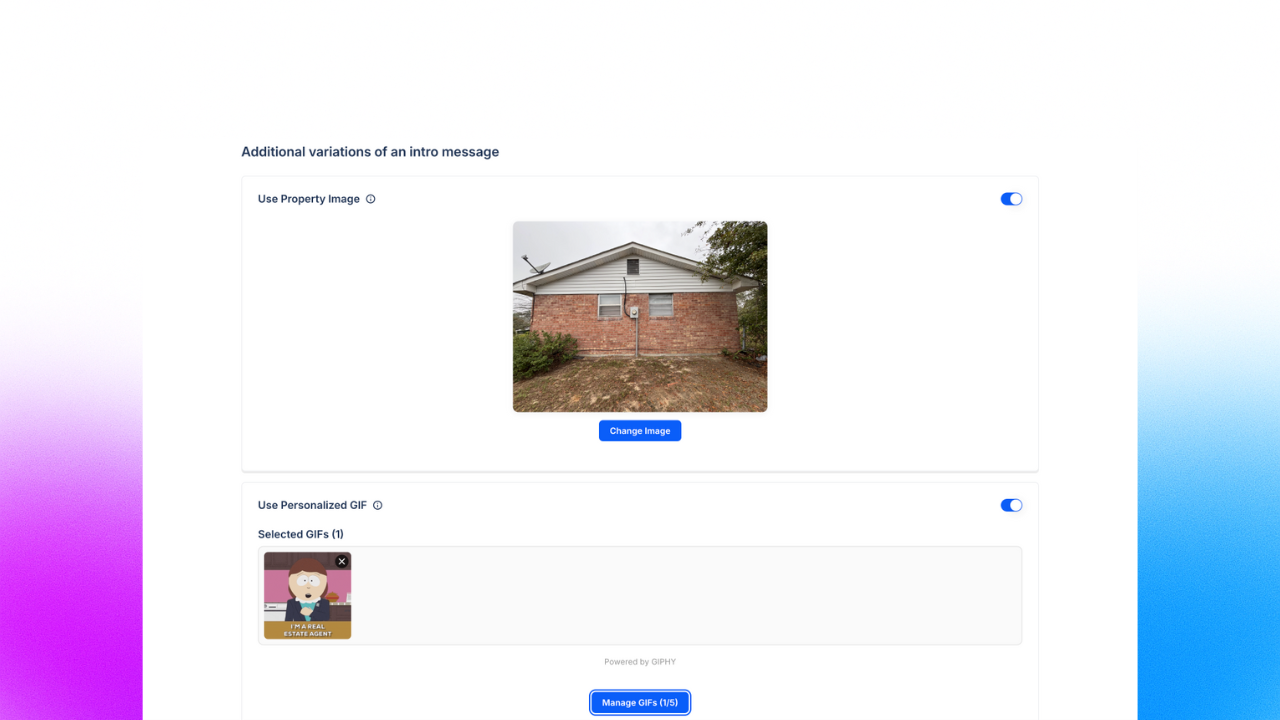
Image 3 – Property image and personalized GIF options for intros.
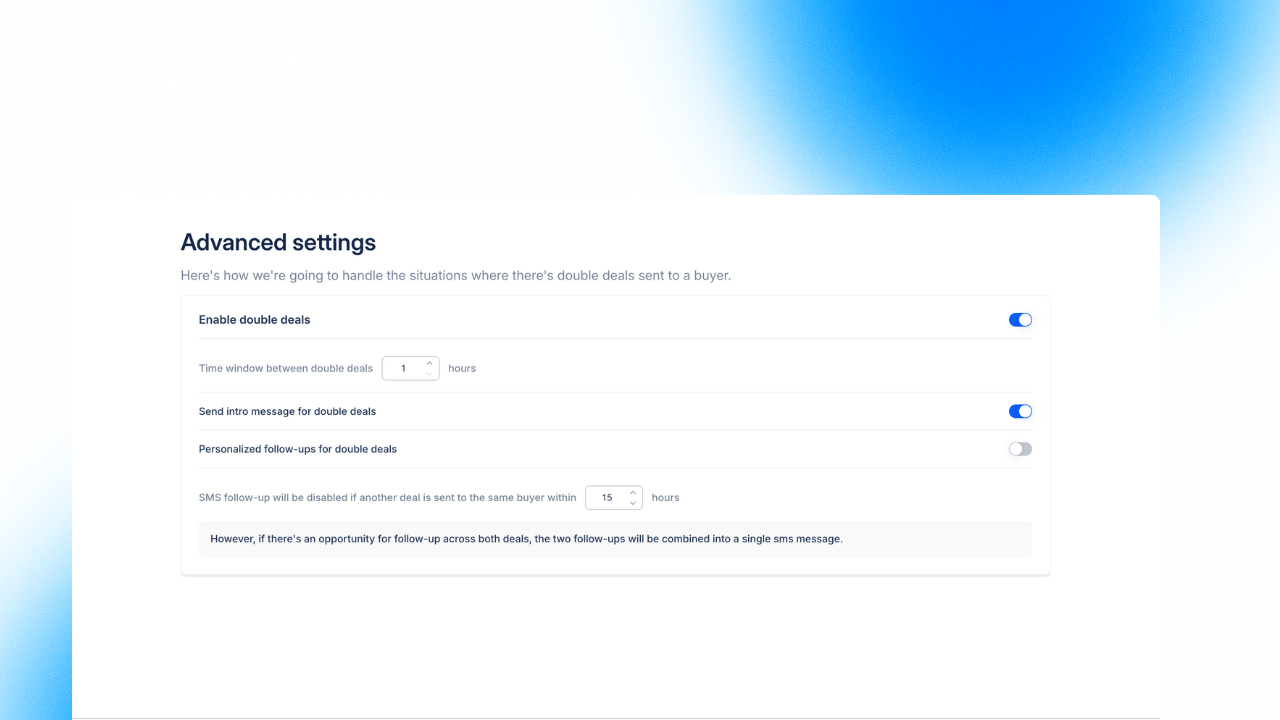
Image 4 – Advanced settings for handling double deals.
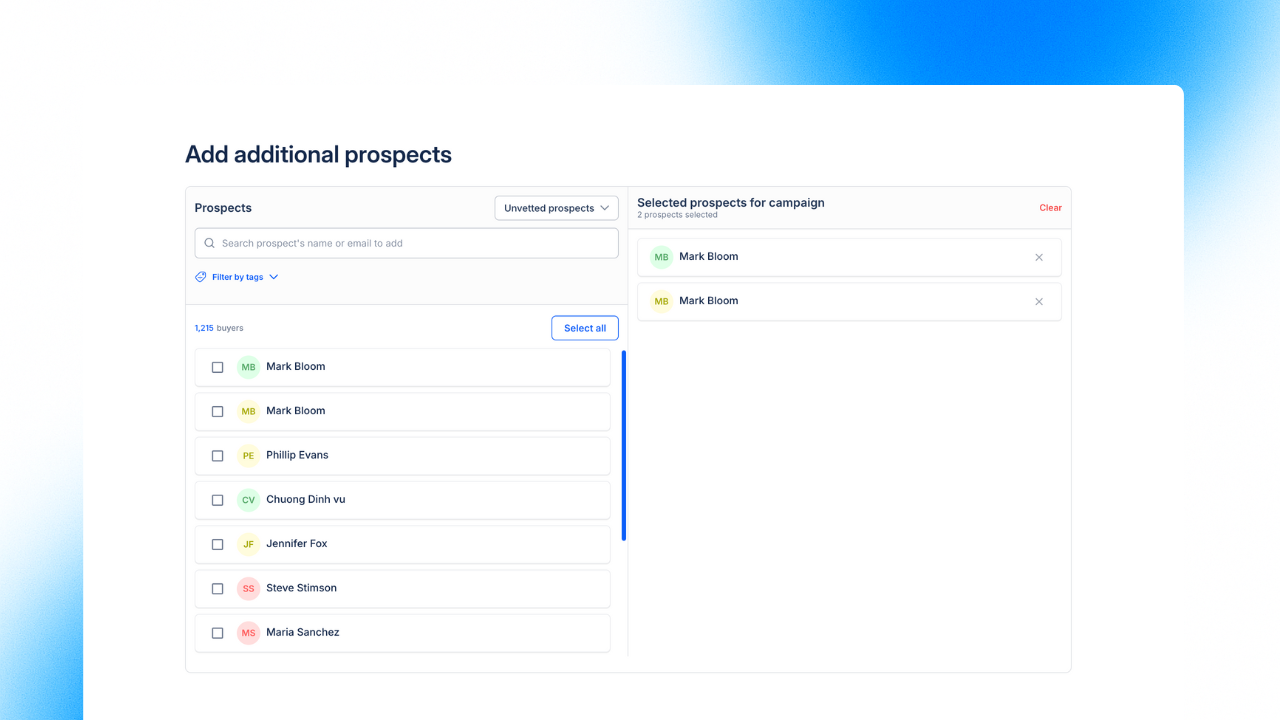
Image 5 – Add additional prospects through tags or buyer name/email/phone.
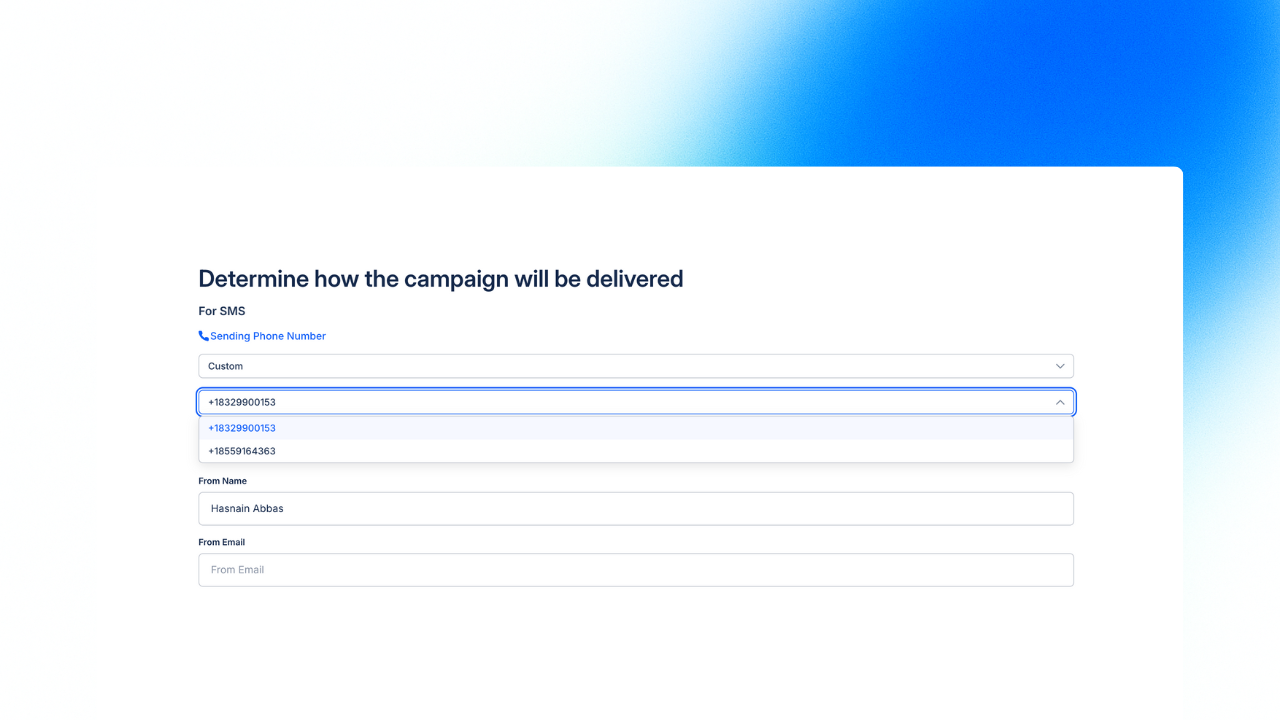
Image 6 – Campaign delivery settings – phone number and sender identity.
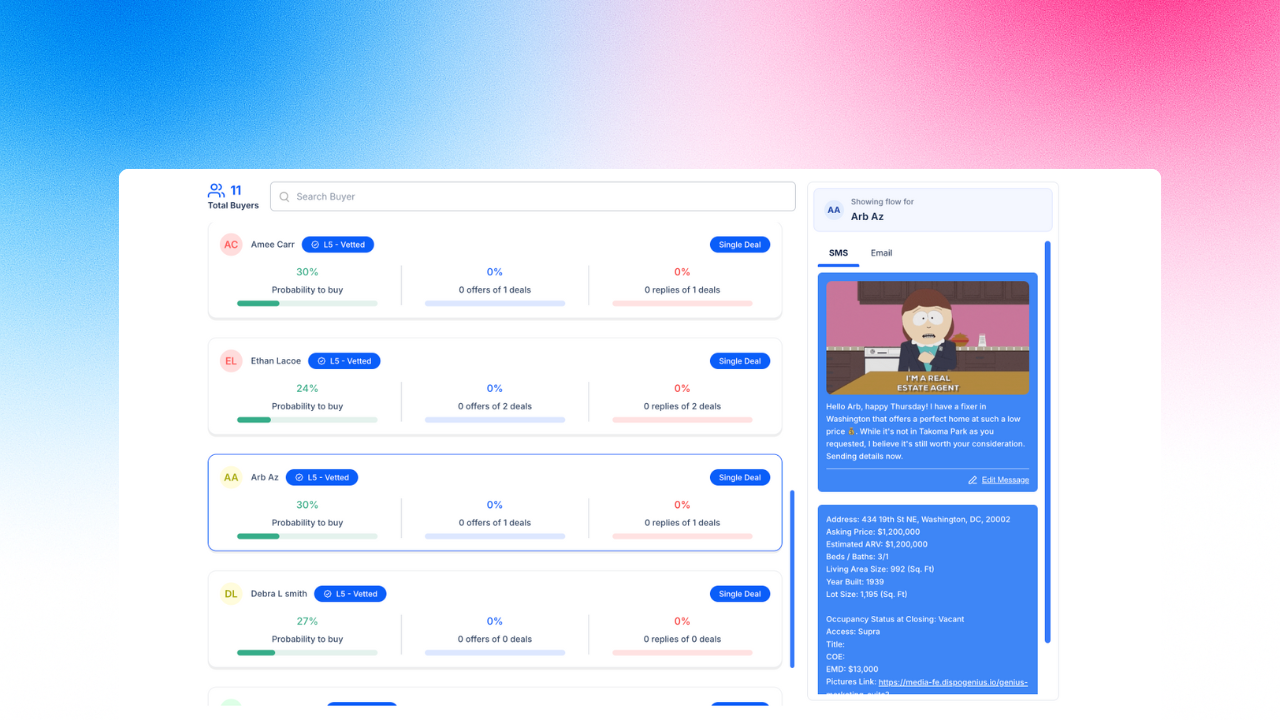
Image 7 – Buyer list with live message preview panel.
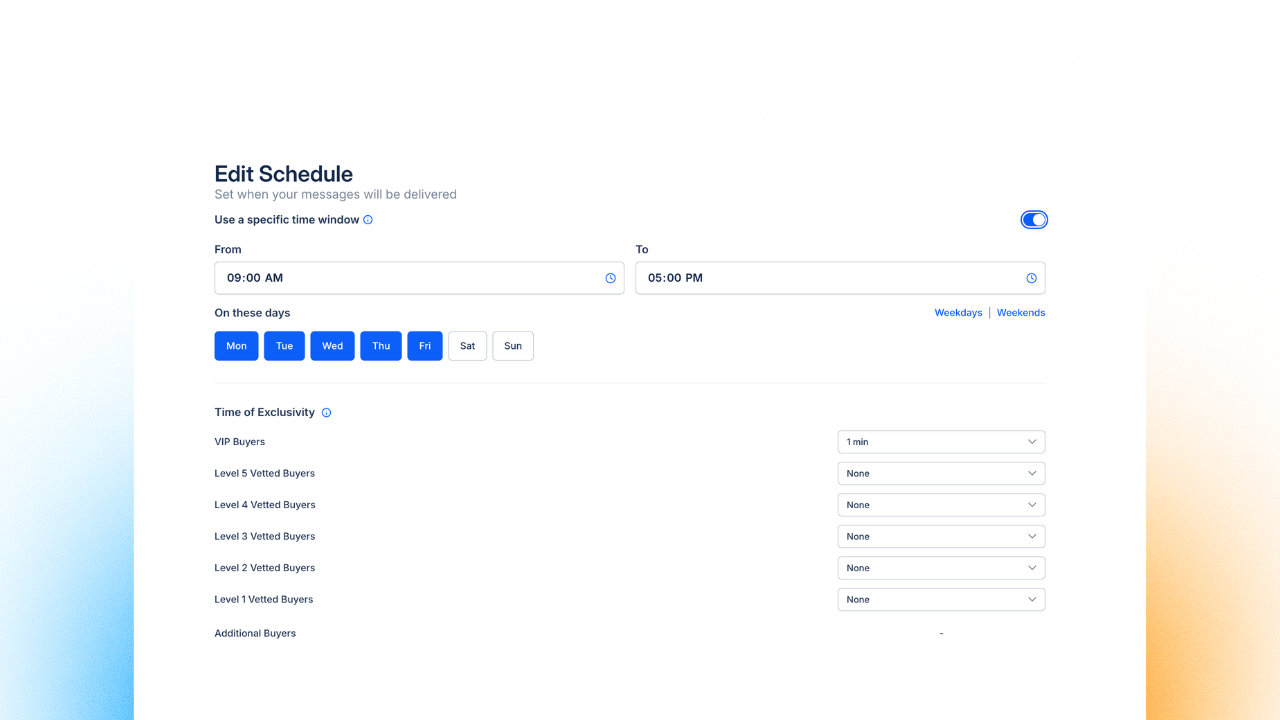
Image 8 – Edit time windows and buyer time of exclusivity.
 Genius Reach – Lightning Speed & Buyer Tracking
We focused on instant load times and clear buyer to deal association so you always know which buyer was reached out for which deal.
Instant Loads & Persistent Results – Results appear immediately and stay available when you navigate away.
Deal History Visibility – See the exact deals a buyer received via a Genius Reach campaign on the Genius Profile/Buy Box.
Tracked Campaigns on Profile – All Deals in Genius Profile now lists any deal linked to a Genius Reach send for full context.
One Click Follow-Up – From a targeted conversation, jump straight to Send Deal; Genius Reach context is retained.
Auto Vetted Buyers – Engaged buyers are automatically marked Vetted to streamline your pipeline.
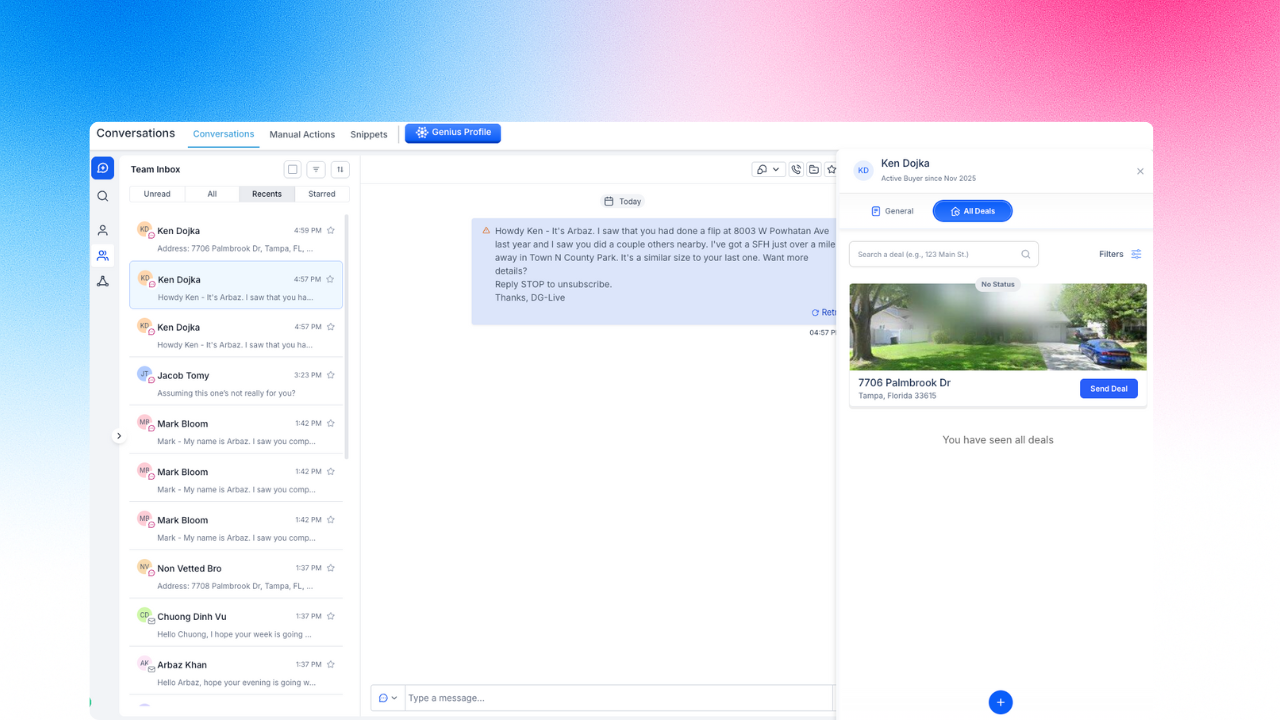
Image 9 – Genius Profile in Conversations/Contacts; All Deals view with one-click Send Deal to Genius Reach buyers.
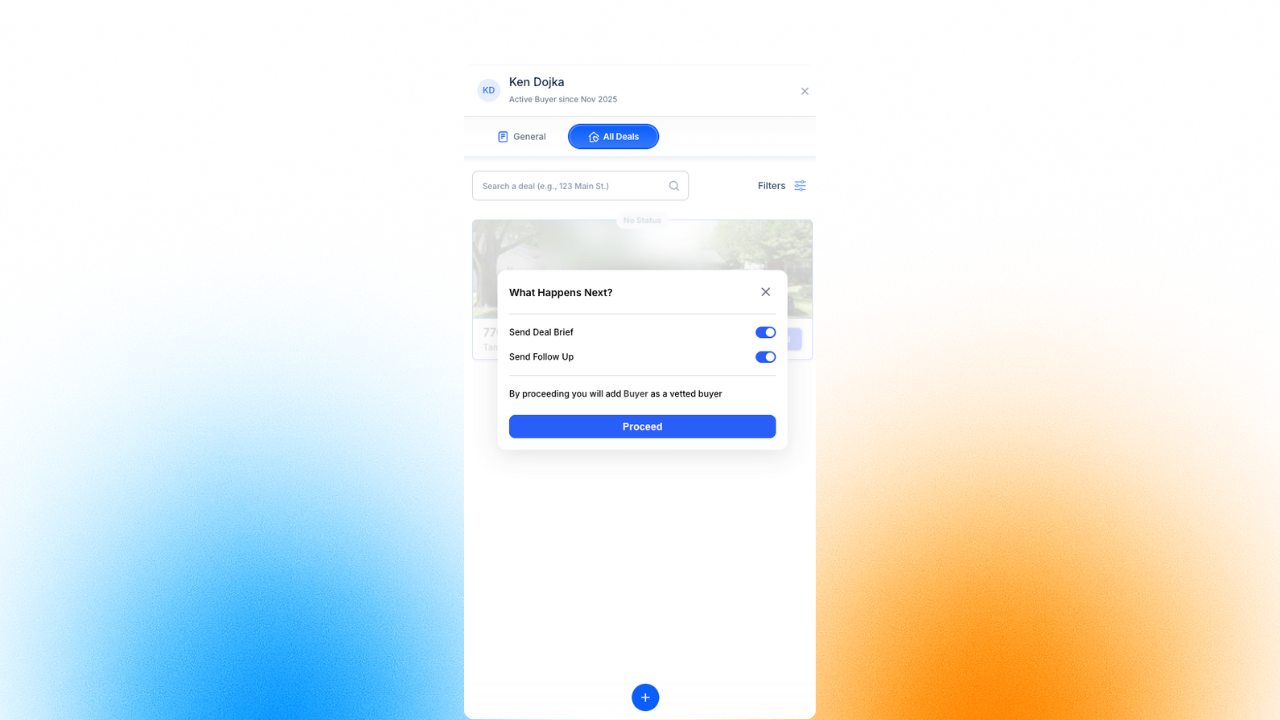
Image 10 – Send Deal: “What Happens Next” – choose what’s sent next (Deal Brief and/or Follow-Up) via toggles.
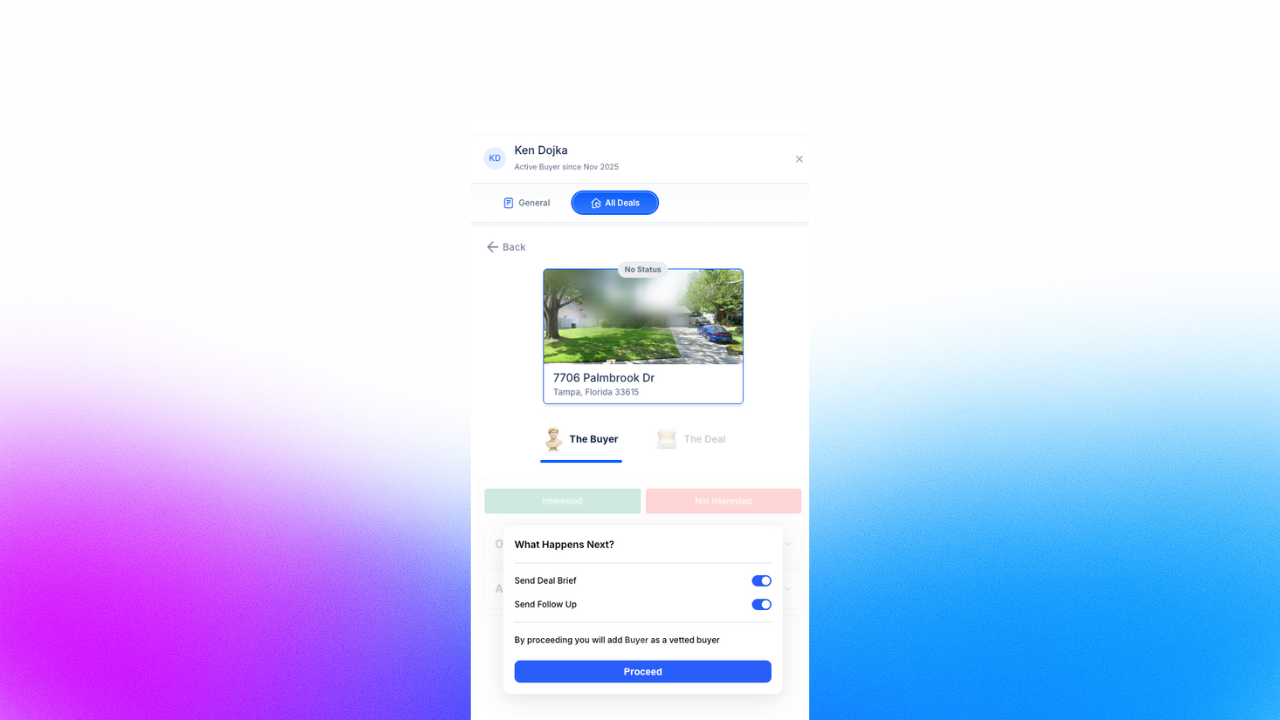
Image 11 – Deal view: same “What Happens Next” toggles inside the deal; choose Deal Brief/Follow-Up and proceed.
 Other Enhancements & Fixes
Improved Search Accuracy: Fixed an issue where some previously searched addresses were incorrectly displayed as blank in the Genius Mode search history.
Restored Email “From Name”: The “From Name” field for outgoing emails is now fully functional again, allowing you to choose any desired name for sending deals.
Reliable Walkthrough Reminders: Issues causing walkthrough reminders not to be sent have been permanently resolved.
Instant Deal Association: When you add a buyer to a deal via the Genius Profile, the deal is now immediately visible in the profile’s deal list without any delay or lag.
Notification Sound Fix: The bug causing a double sound for notifications in the Notification Panel has been fixed.
Deals Dashboard/Kanban Image Sync: The property’s exterior image from the Genius Marketing Suite will now appear as the cover image in the Deals Dashboard and Kanban board.
Autocomplete Search Fix: Resolved an issue with the autocomplete search that prevented certain counties from being displayed while creating Genius Profiles for buyers.
New Deals Filter: A Disposition Manager filter has been added to the main deals area, allowing you to quickly view deals assigned to specific managers.
Enhanced Skip Tracing: Our skip-tracing rate has overall increased due to deep research implementation and system-wide improvements within Genius Mode.
 What’s Next – Upcoming Features
Manual Deal Creation (Pin-Drop Ready): The ability to manually create new deals for properties, especially for non-standard assets like land or lots that lack a structured address. You can now simply drop a pin on the map to pre-fill address details, which you can then edit and populate with all necessary deal information, completely bypassing the need for support.
App Performance Upgrade: We are migrating the application from its current iFrame structure to open in a new browser tab. This will lead to significant overall speed enhancements and give you better control and a more stable experience within your CRM.
General Buyer Intake Form: A standardized buyer intake form to streamline the process of collecting essential information and quickly creating new, qualified Genius Profiles.
Bulk Import Revamp: A complete overhaul of the bulk import experience to make uploading large lists of contacts and data faster and more reliable than ever before.
Genius Dialer: Development of the Genius Dialer, a new feature designed to streamline and automate your outbound calling workflow.
Genius Mode V2: The next major iteration of Genius Mode is on its way.