Changelogs
Stay up to date with the latest changes and enhancements.
Stay up to date with the latest changes and enhancements.


24. Dec 2025
Share
Managing a growing list of investors can be a headache, especially when you’re manually typing in their details. To help you scale, we are excited to launch the Investor Intake Form. This tool allows your potential buyers to sign up themselves and tell you exactly what kind of deals they are looking for.
 Share Your Link, Grow Your List
You no longer have to be the middleman for data entry. You can now invite investors to join your list using a simple link or a QR code.
Team Attribution: Create links for specific team members so new buyers are automatically connected to the right person from the start.
Scan & Sign Up: Download your unique QR code to use on property flyers, social media, or even at networking events. One quick scan, and the investor is ready to fill out the form.
No Duplicates: The system automatically checks email addresses/phone-numbers to prevent the same person from signing up twice.
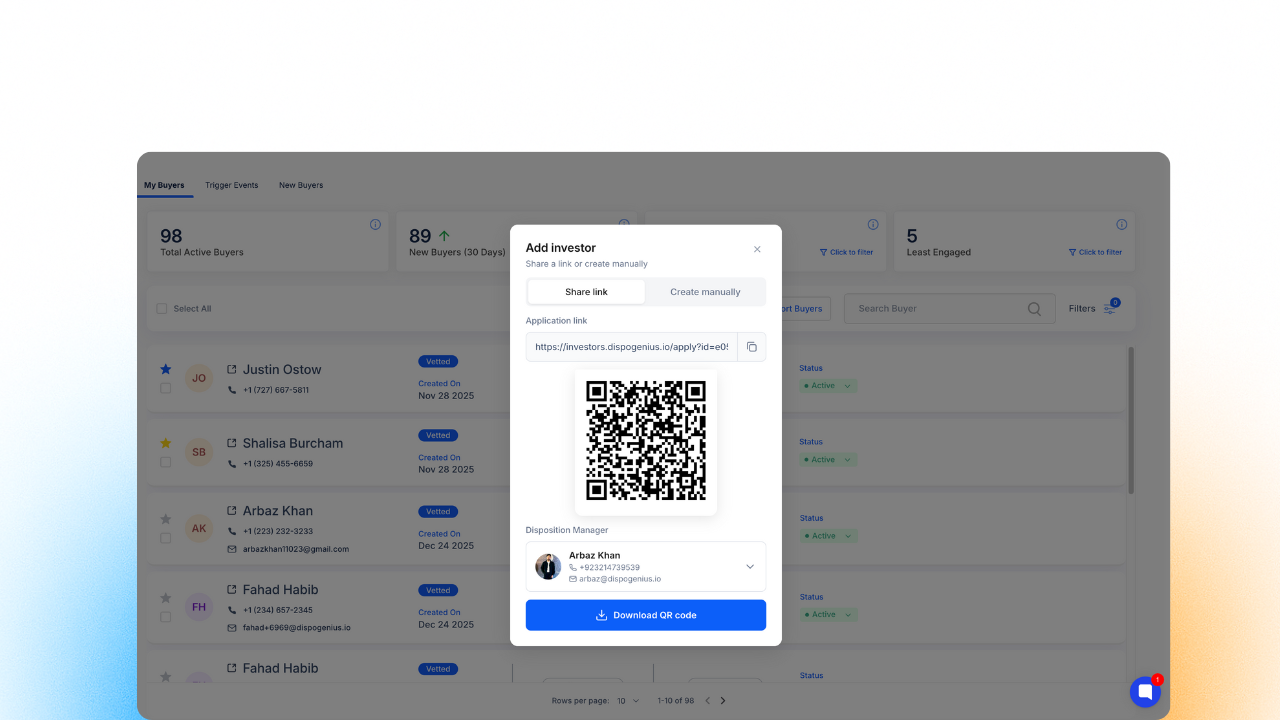
 Image 1 – Form Link/QR Generation.
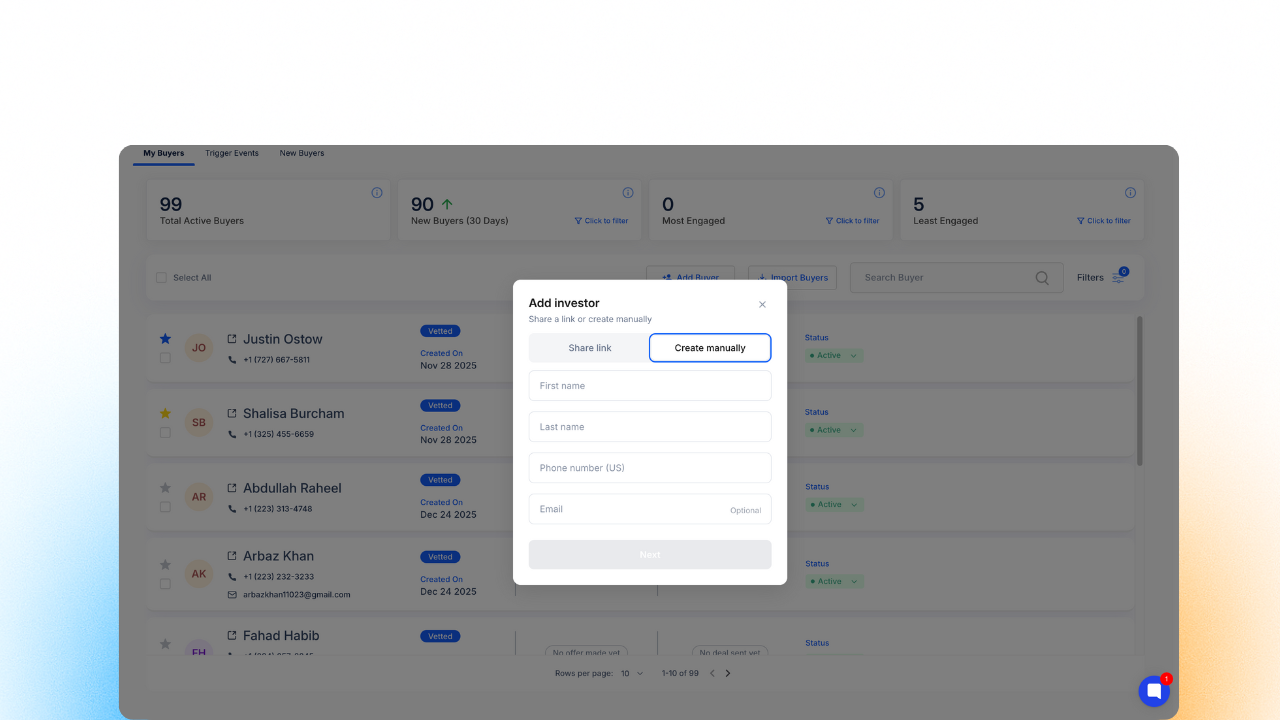
Image 2 – Manually create Investors
 A Simple, Mobile-Friendly Experience
We’ve built the intake form to be as easy as possible for the investor. It works perfectly on phones, tablets, and computers.
Communication Choice: Buyers can tell you if they prefer to receive deals via SMS or Email.
Smart Location Suggestions: Instead of guessing, buyers can select their favorite cities or zip codes. The system even highlights the most popular areas others are buying in.
Detailed Preferences: The form captures the investor's "Buy Box," including property types (like Single Family or Multi-Family) and their preferred investment strategy (like Fix & Flip or Buy & Hold).
Advanced Needs: The form even captures specific details like bedroom counts, preferred year built, and living area size.
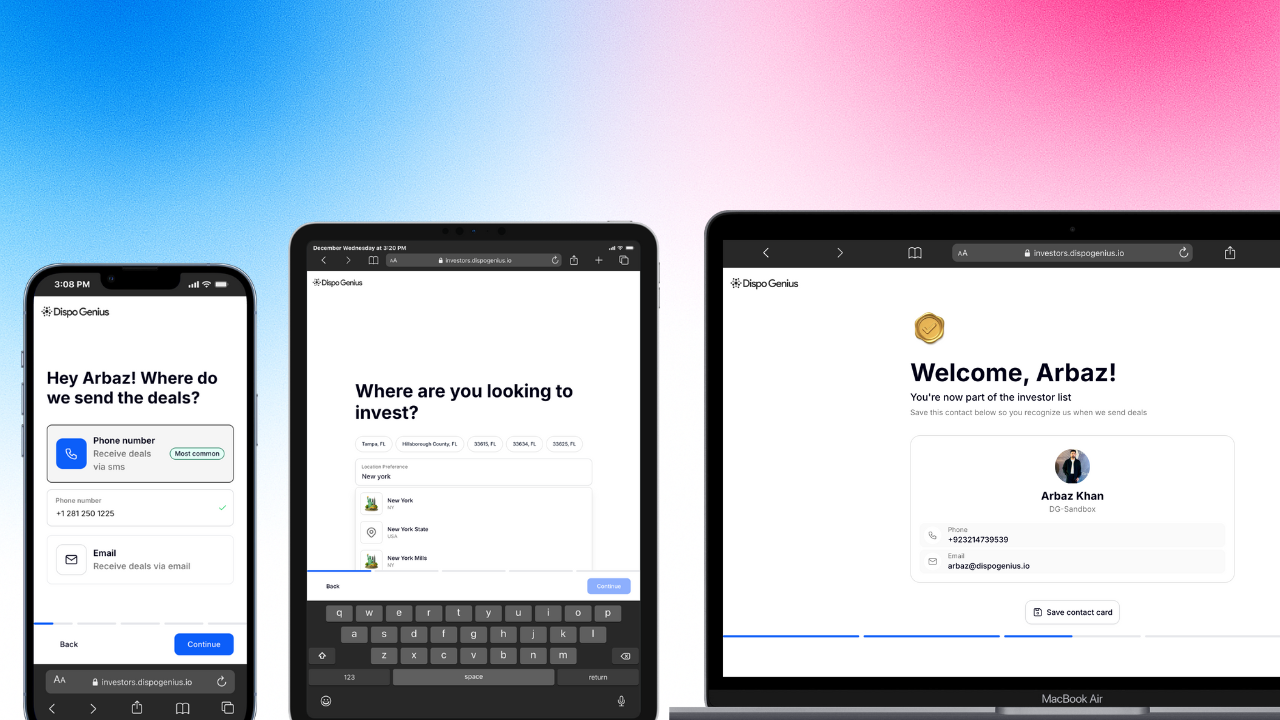
Image 3 – View of the Investor Intake Form flow.
 The Digital Business Card ("Save My Contact")
One of the best parts of this feature is making sure your investors actually pick up the phone when you call.
Digital Business Card: As soon as an investor finishes the form, they can click "Save Contact Card".
Auto-Save to Phone: This automatically adds your team member's name and phone number to the investor's contacts.
Recognized Calls: When you call them with a new deal, your name will appear on their screen instead of an "Unknown Number".
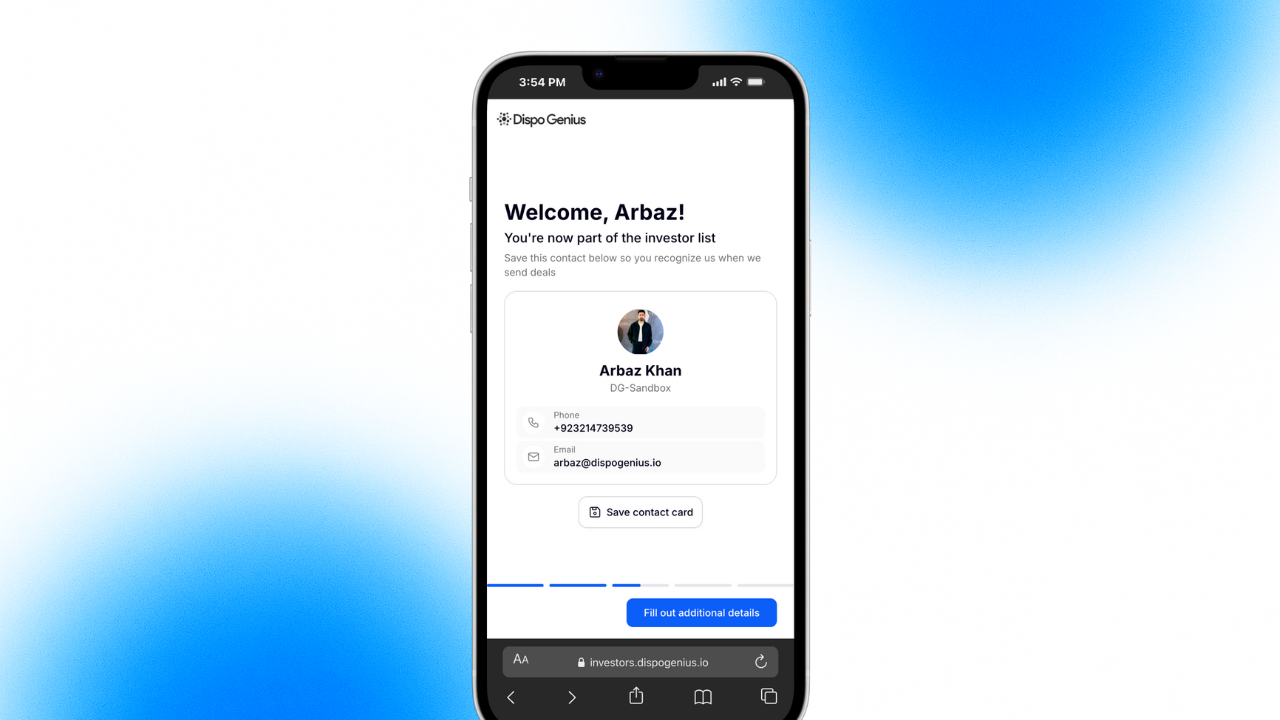
Image 4 – View of the Investor Intake Form flow.
 Keep Your List Clean: The Review Queue
To make sure you only have high-quality buyers in your CRM, new sign-ups don't just "appear" in your main list. They go into a waiting area first.
New Buyers Tab: See everyone who has filled out the form in one dedicated spot.
Vet Before You Approve: Look over an investor's full profile and buying criteria before adding them to your main list.
One-Click Approval: Simply click "Approve" to move them into your active CRM, or "Reject" if they aren't a good fit.
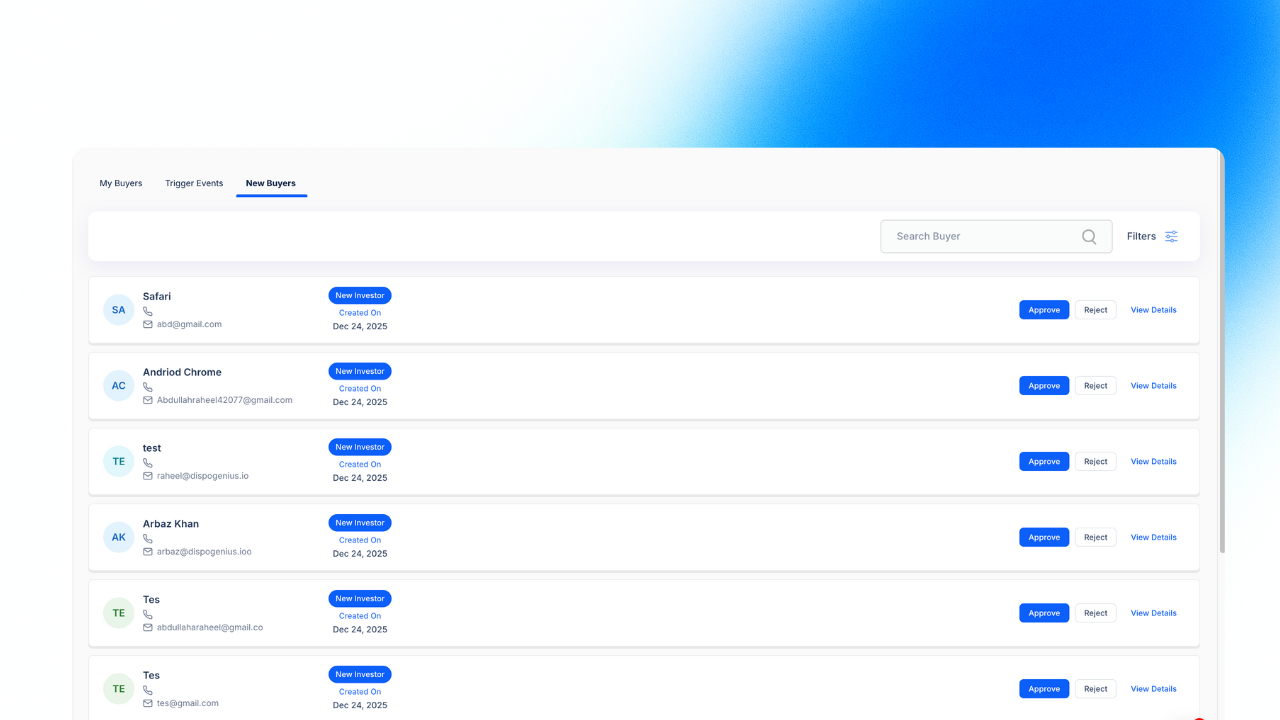
Image 5: Admin Panel showing the "New Buyers" tab with Approve/Reject buttons.
Go to your Genius Studio > Buyers page.
Click the Add Buyer button.
Choose Share Link to copy your URL or download the QR Code.
Send it out and let the system do the onboarding for you!