Changelogs
Stay up to date with the latest changes and enhancements.
Stay up to date with the latest changes and enhancements.


12. Aug 2026
Share
DG V1.7.0 makes it easier to connect your tools and move more buyer conversations forward. Create deals through a public API, widen Genius Reach searches up to 20 miles, and let Genius Reach send follow-up SMS when a buyer doesn't reply.
 Highlights
API integrations and public deal creation: Manage location-scoped keys and add deals from your own tools.
Genius Reach up to 20 miles: Expand buyer searches from 5 to 10 to 20 miles.
Genius Reach SMS follow-ups: Send automatic follow-ups to Genius Reach buyers who haven't replied.
 Connect your tools and create deals through the public API
Open Settings → Integrations to create a secure API key for a location. Your integration can send an address to POST /api/v1/deals, and Dispo Genius creates a Pre-Marketing deal for that location.
Location-scoped access: Owners and admins can maintain up to five active API keys for each location.
Secrets shown once: Copy a new key when it's created. Saved keys only show a masked reference afterward.
Key controls: Rename or revoke a key at any time. Key creation, renaming, and revocation are audited.
Complete API guide: Copy the environment-specific endpoint, cURL request, success response, common errors, or the full reference for an LLM.
Automatic property enrichment: Dispo Genius validates the precise address and fills the deal with property, location, and flood-zone details.
Reliable deal creation: Every request requires an idempotency key. Duplicate addresses return a clear conflict instead of creating another deal.
Familiar pipeline setup: New deals use your Pre-Marketing defaults and time zone, with the manager left Unassigned for your normal assignment workflow.
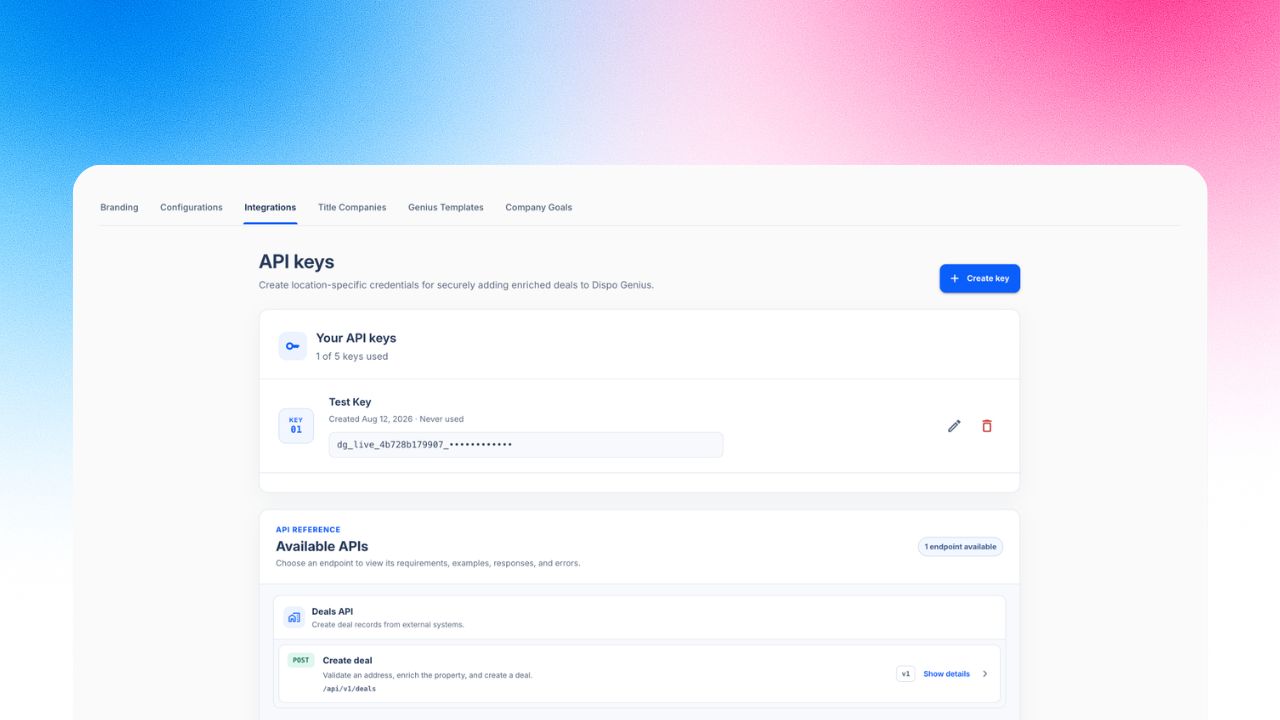
Image 1 – API key management
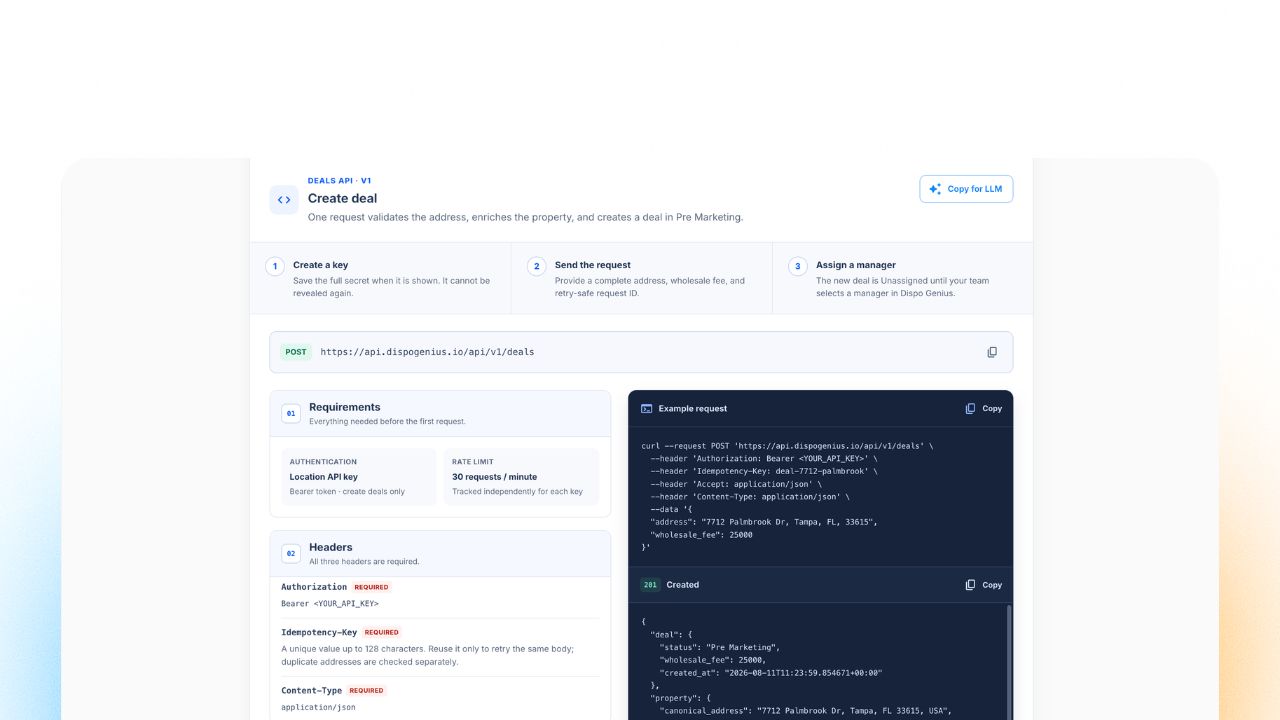
Image 2 – Public Deal Creation API guide
 Reach buyers up to 20 miles away
Genius Reach now expands from 5 to 10 to 20 miles. Widen the current search when you need to look for buyers farther from the property.
Step-by-step expansion: Move from 5 to 10 to 20 miles from the existing Genius Reach results.
Same Genius Reach workflow: Each expansion uses the current property and buyer-matching flow. No new setup is required.
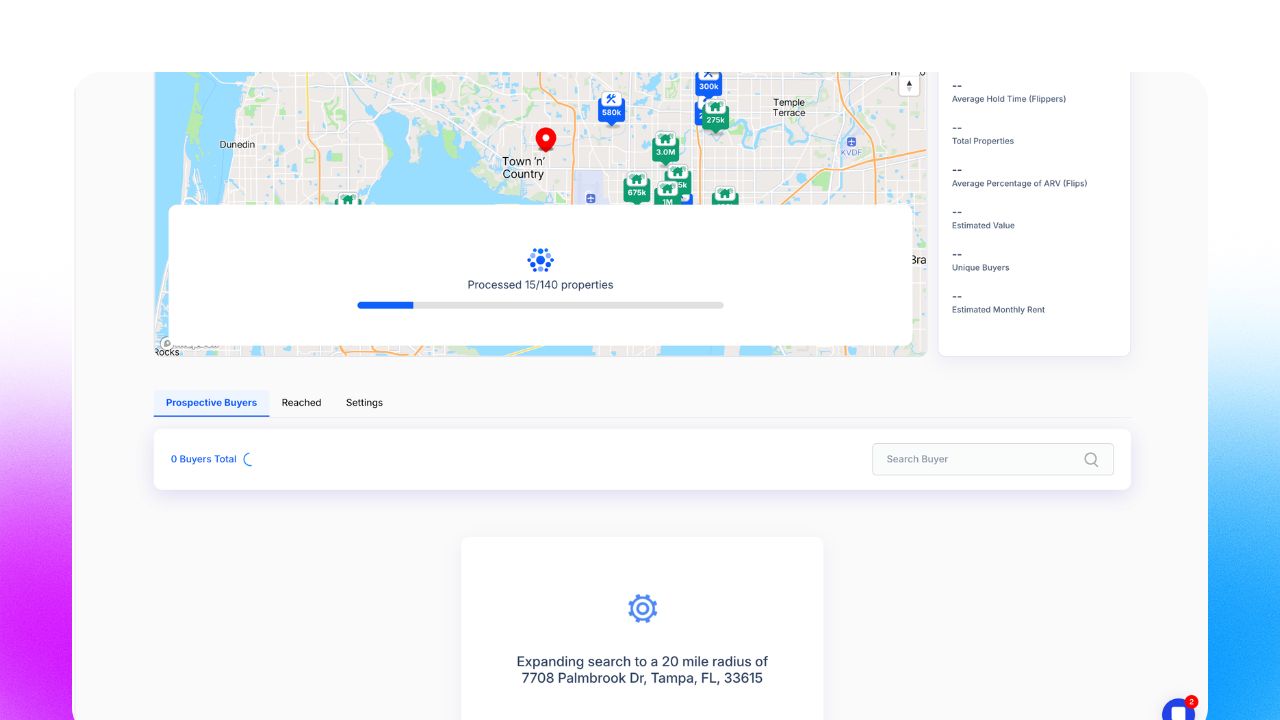
Image 3 – Genius Reach radius expansion up to 20 miles
 Let Genius Reach follow up when buyers don't reply
This feature lives in Genius Reach Settings and only applies to outreach sent through Genius Reach.
Deal-level control: Turn SMS follow-ups on for a specific deal without changing the initial Genius Reach message.
One automatic follow-up: After Genius Reach sends the first SMS, it can send one follow-up when that buyer hasn't replied.
Flexible timing: Choose a whole number of hours or days. The default delay is 8 hours.
Shared template library: Each location starts with five follow-up templates. Create, edit, or delete them, and Genius Reach selects one at send time.
Personalized messages: Insert buyer, property, deal, current-time, and manager details with dynamic tags.
Reply-aware delivery: Genius Reach uses your location's messaging hours, skips buyers who already replied, and won't send the same follow-up twice.
Safe activation: A valid delay and at least one saved template are required before follow-ups can be enabled.
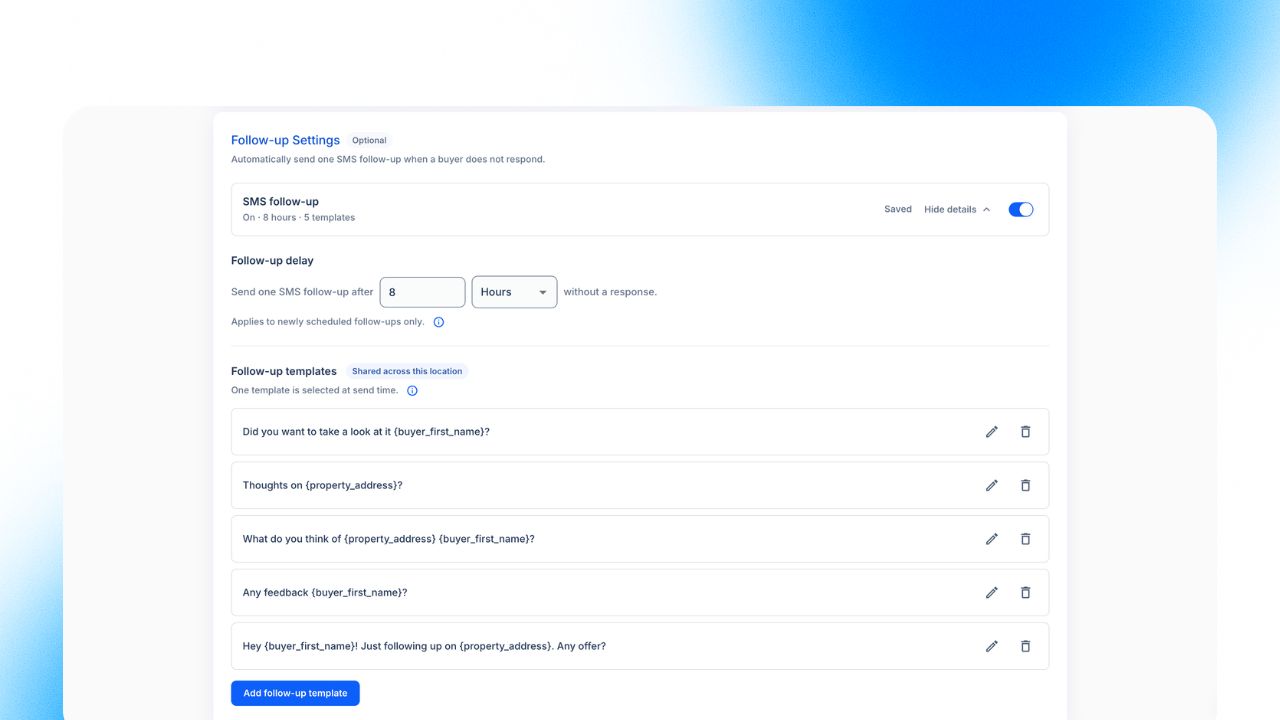
Image 4 – Genius Reach SMS follow-up timing and templates
Open Settings → Integrations and create an API key for your location.
Use the Deal Creation API guide to send an address, wholesale fee, and idempotency key.
Open a deal and use Genius Reach to search 5, 10, or 20 miles.
Open Genius Reach Settings, set the follow-up delay, and review the location's follow-up templates.
Enable SMS follow-ups for the deal when the timing and templates are ready.
 Coming next
These improvements are planned for the next release.
Shorter Marketing Suite links: Share cleaner, shorter listing links in outbound messages.
Manual buyer inclusion and exclusion: Include or exclude individual buyers after filtering, so you control the final outreach list.
Clear match explanations: See why a buyer was included or filtered out, including the mileage radius and deal criteria that didn't match.