Changelogs
Stay up to date with the latest changes and enhancements.
Stay up to date with the latest changes and enhancements.


25. Aug 2026
Share
Dispo Genius V1.8.0 gives you more control over who receives a Sendflow campaign, more ways to manage deals through your existing workflows, and a cleaner public listing experience. Review the planned audience before sending, manage more of the deal workflow through the public API, and present deal resources where buyers can find them.
 Highlights
Sendflow audience review and Campaign Logs: Review recipient counts, filter buyers, inspect match details, and exclude or restore matched buyers before sending, then revisit the historical record afterward.
Expanded public Deal API: List, retrieve, search, and update deals, retrieve Genius View buyers, and list disposition managers from your own tools.
 See how every buyer is evaluated before your deal goes out
Sendflow now saves the campaign audience for review before delivery. You can see how buyers were evaluated, narrow the list, and make deliberate recipient changes before the campaign goes out.
Audience at a glance: See matched, unmatched, manually excluded, additional-prospect, and final-recipient totals.
Search and filter: Find buyers and narrow the audience by campaign outcome, strategy, preferred or restricted location, price, beds, baths, square footage, and year built.
Clear match reasoning: Open a buyer’s details to see location matches, mileage radius, price thresholds, year-built and square-footage variances, strict criteria, and any allowed flexibility.
Controlled changes: Exclude matched buyers, restore matched buyers you previously excluded, and apply actions to the complete filtered result.
Historical evidence: Open Campaign Logs to review recipients, audience decisions, matching evidence, outcomes, and timestamps from previous campaigns.
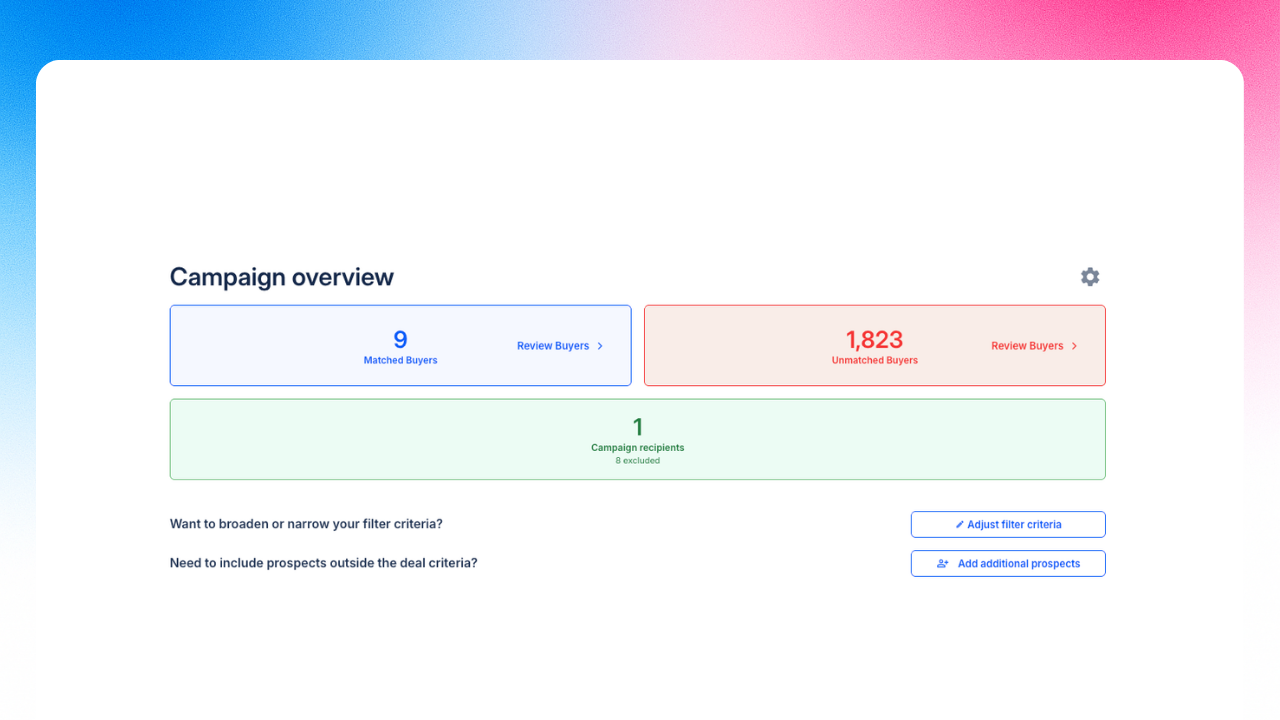
Image 1 – Audience summary
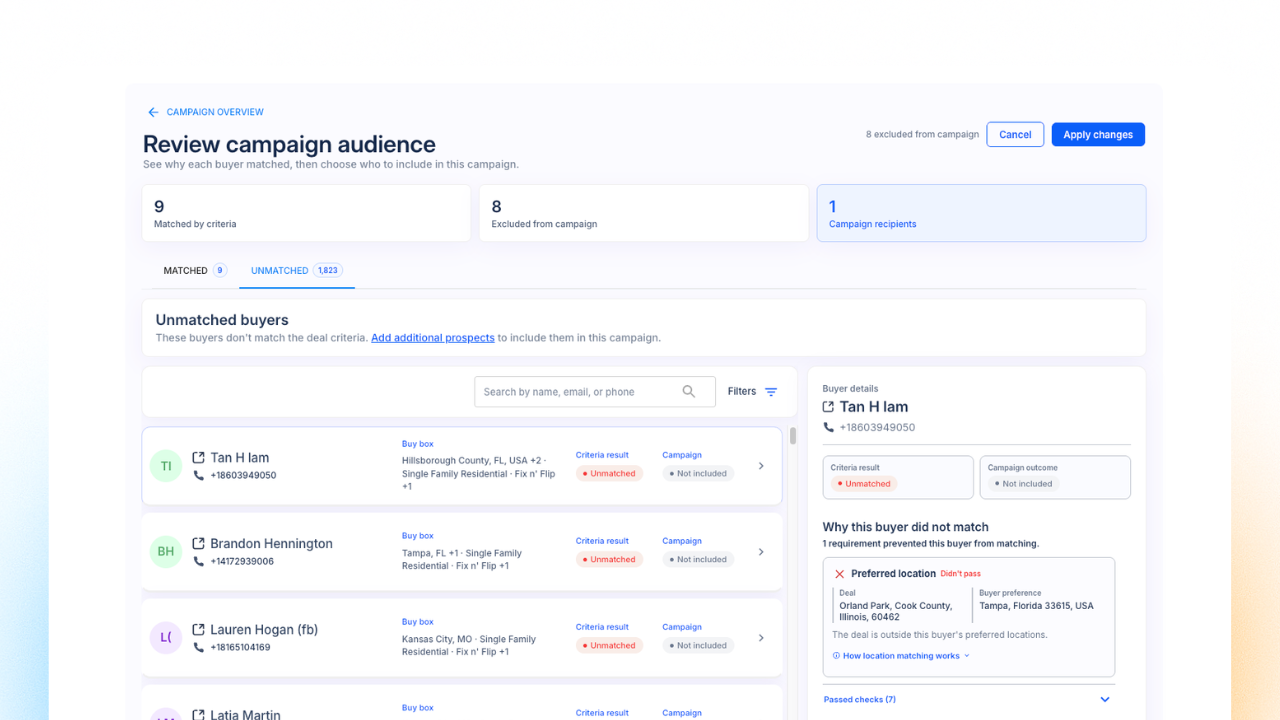
Image 2 – Campaign Audience
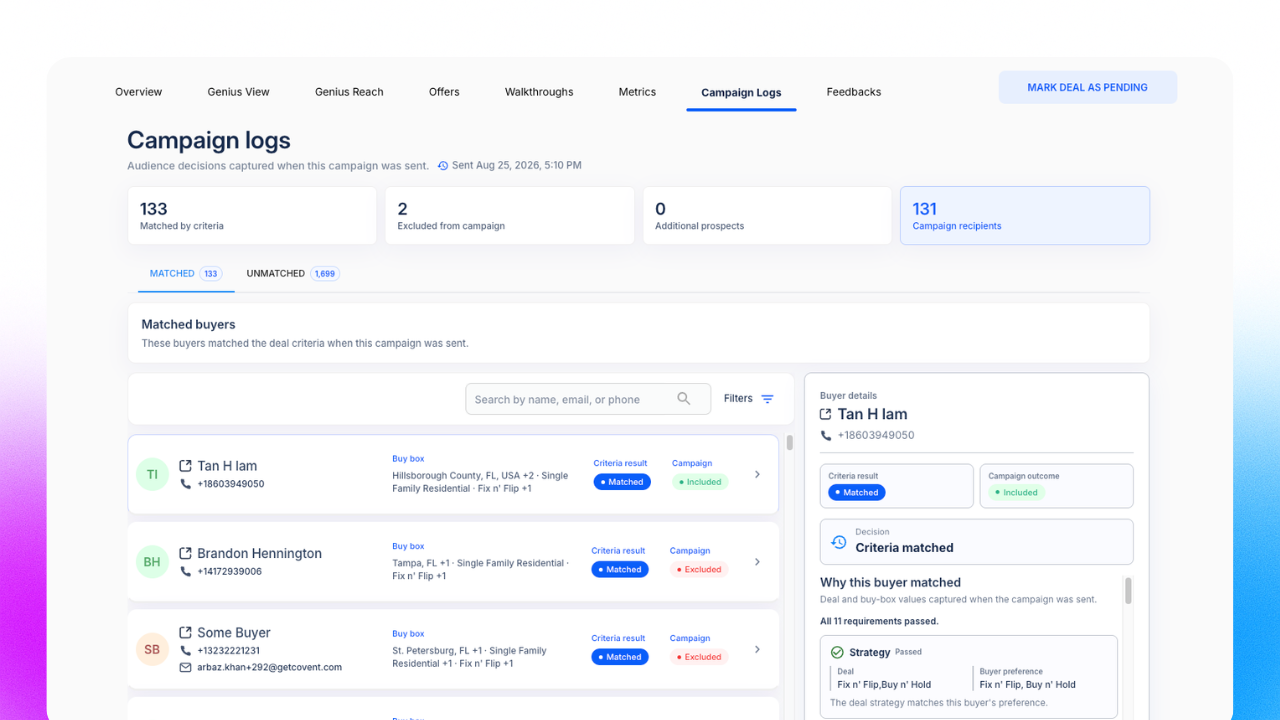
Image 3 – Campaign Logs
 Manage more of the deal workflow through the public API
V1.7 introduced deal creation through the public API. V1.8 expands that foundation so your integrations can find existing deals, retrieve deal and buyer data, and update supported fields.
Find deals: List, search, and filter location-scoped deals with GET /api/v1/deals.
Retrieve one deal: Get an individual deal through GET /api/v1/deals/{id}/.
Retrieve Genius View buyers: Search the buyers associated with a deal through GET /api/v1/{deal-id}/buyers.
Update supported fields: Use PATCH /api/v1/deals/{id}/ for supported property, pricing, condition, strategy, ARV range, Win It Now, and manager changes.
Find disposition managers: List and search location-scoped managers through GET /api/v1/dispo_managers.
Expanded API guide: Open Settings → Integrations to search the endpoint catalog, review schemas and examples, inspect common errors, or copy the reference for an LLM.
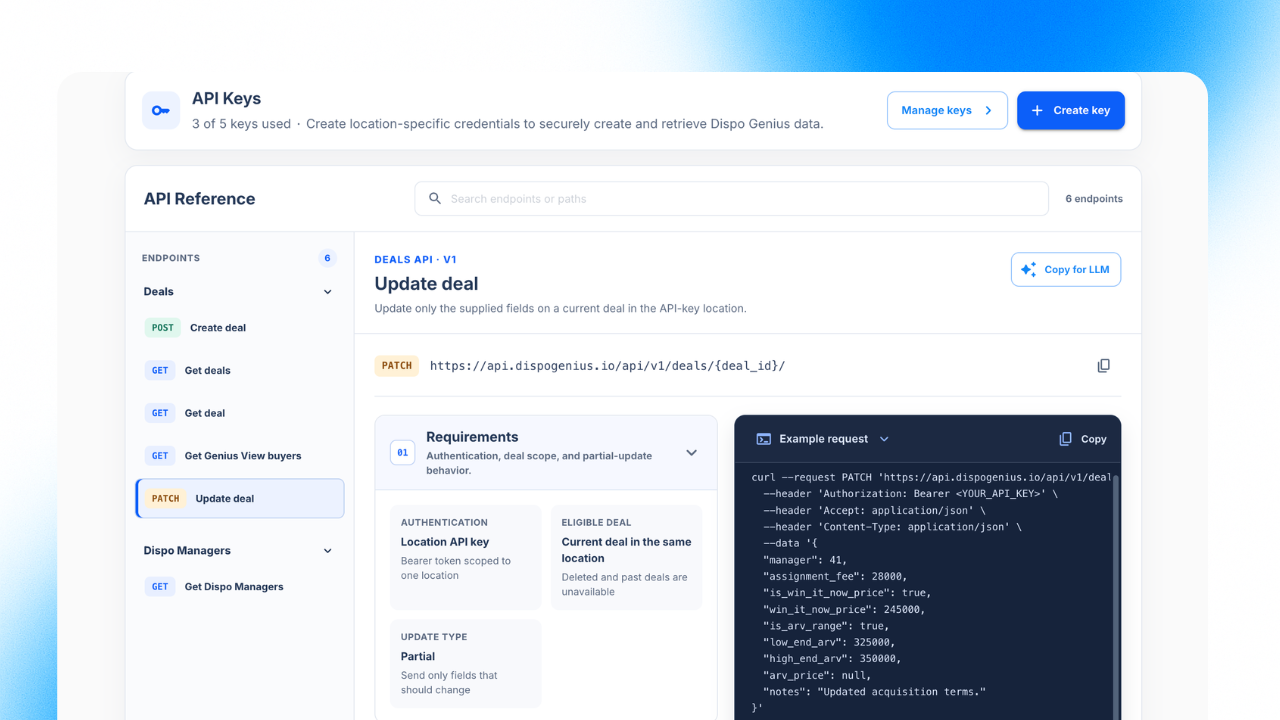
Image 4 – Expanded public Deal API reference in Settings → Integrations
 Share your deals with cleaner, shorter links
Marketing Suite links sent through SMS and email will use a compact interaction code, giving buyers a cleaner link without changing the experience behind it.
Shorter outbound links: New SMS and email messages will use compact Marketing Suite URLs.
Context preserved: Each link will still open the correct property while keeping buyer tracking, deal tracking, and chat intact.
Backward compatible: Existing long-format links will continue to work.
Custom-domain ready: Short links will continue to resolve through your configured custom domain.
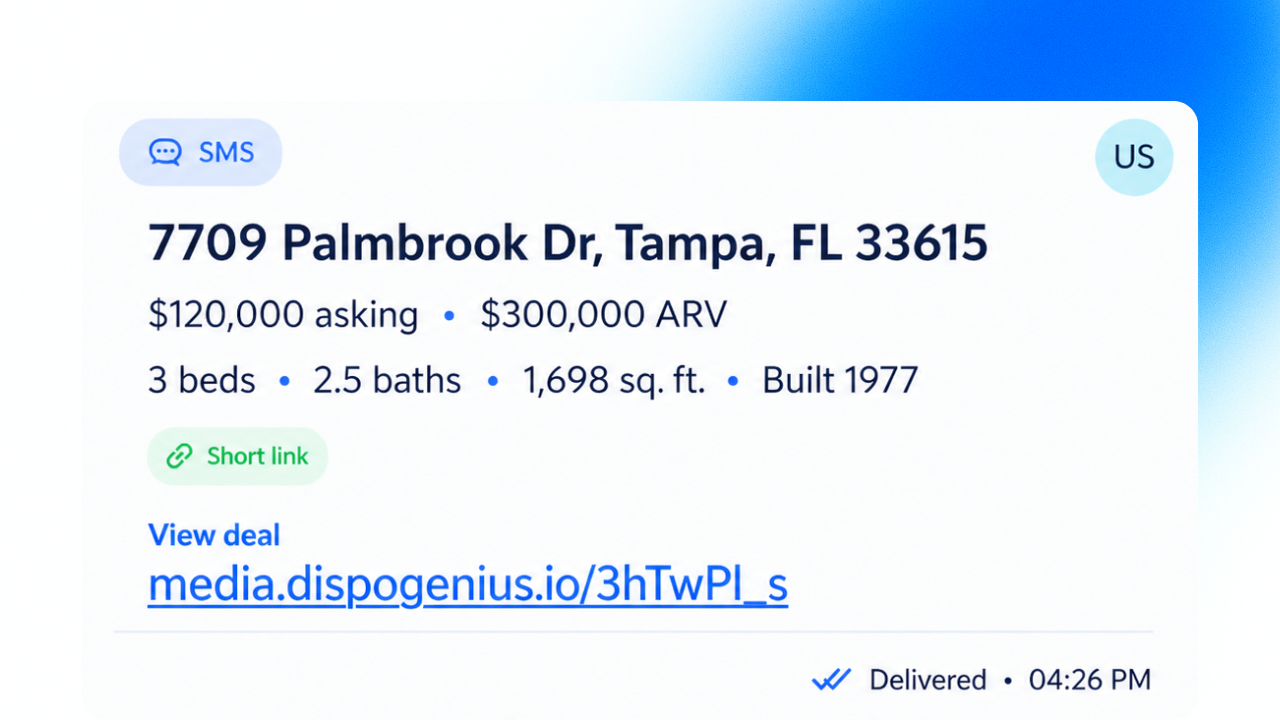
Image 5 – Shorter Marketing Suite links in SMS and email
Open a deal, Start Sendflow campaign, and review the saved audience before sending.
Use search, filters, and match details to understand the audience. Exclude matched buyers or restore matched buyers you previously excluded, then apply the changes.
Open Campaign Logs after sending to review the historical audience record.
Open Settings → Integrations to browse and copy the expanded public Deal API reference.
Other improvementsDeal resources on public listings: Documents, related links, and videos now appear directly beneath property facts on both Marketing Suite listings and public company pages. Buyers see up to five resources at a glance, with additional items available in a desktop drawer or mobile sheet. Empty resource sections stay hidden so listings remain focused.
Clearer video resources: Compact resource cards now identify videos with a visible Video label while preserving useful descriptions such as Walkthrough · Video.
Safer video uploads: If a Genius Marketing Suite video upload cannot be completed, the dialog gives clearer guidance and returns to an editable state so you can retry or cancel. Failed uploads do not create incomplete resources.
More visible photo controls: The Show all photos button now uses a light, outlined treatment with a clearer focus state, keeping it readable across bright, dark, and busy listing photos.
All of the features above are live now.
 What’s next
 Call buyers without leaving Genius Mode
The planned power dialer brings browser-based calling directly into Genius Mode, with a prioritized buyer queue and the controls needed to work through it efficiently.
Built-in calling: Start a calling session from verified buyer phone numbers without leaving the buyer list.
Queue controls: Track progress, pause or resume the queue, mute, hang up, call again, and see call outcomes.
Matched-first workflow: Review matched buyers first, ordered by distance, before moving to buyers who did not match.
Prospecting filter: Focus on buyers who have not already been called or messaged, with the same filter applied to cards, maps, counts, and the dialer queue.
Safer outreach: Number verification and do-not-call controls help keep ineligible contacts out of the queue.