Changelogs
Stay up to date with the latest changes and enhancements.
Stay up to date with the latest changes and enhancements.


15. Sep 2026
Share
Dispo Genius V1.9.0 brings clearer delivery tracking, personalized buyer messaging, single-line calling, and more control over public listings. Review failed messages, retry eligible attempts, and choose which property details buyers can see.
 Highlights
Delivery tracking and retries: Review delivered, pending, and failed messages in Campaign Logs, then preview and retry eligible messages.
Guided buyer messaging: Select multiple buyers, review each message, and move through outreach with Send & next.
Public listing controls: Choose whether buyers can see the asking price, ARV, and exact property location.
Power Dialer: Work through your buyer list with single-line calling in Genius Mode. GoHighLevel access requires the app update.
 Delivery Tracking & Message Recovery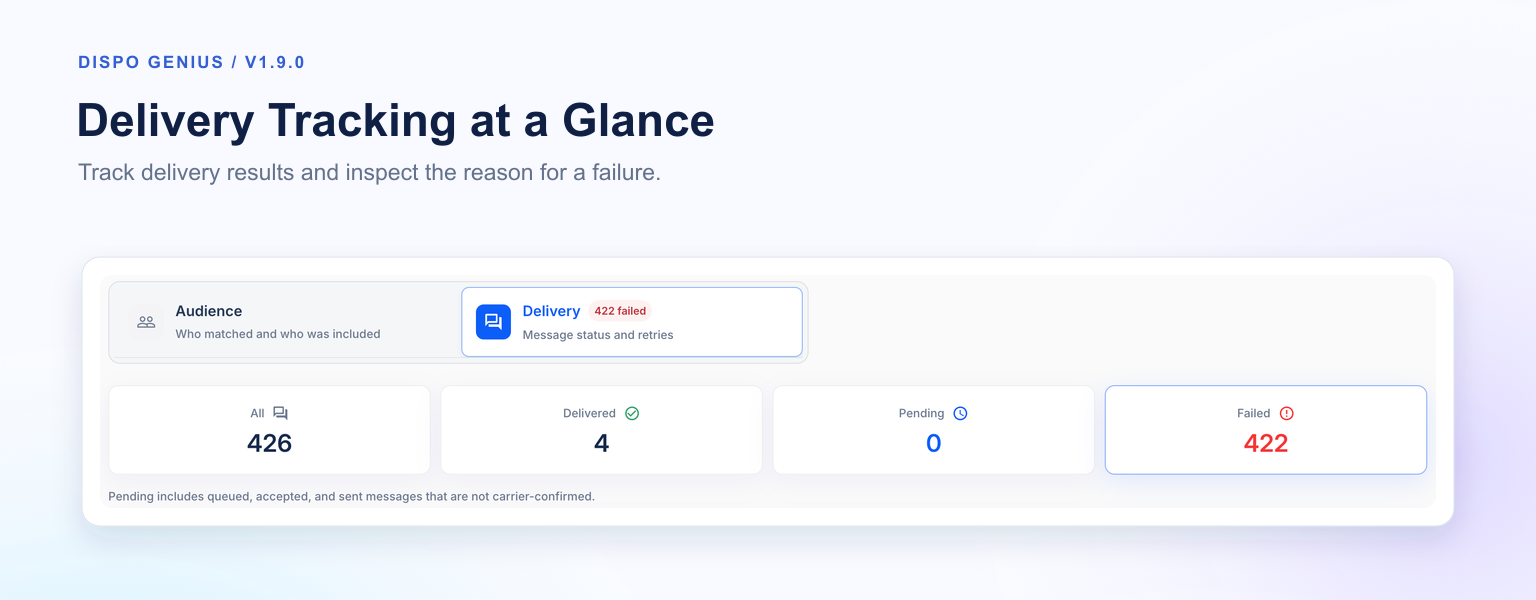
Image 1: Delivery Tracking at a Glance
Campaign Logs now brings delivery results and recovery into the deal workflow. Review message outcomes, inspect available failure details, and retry eligible messages without rebuilding the campaign.
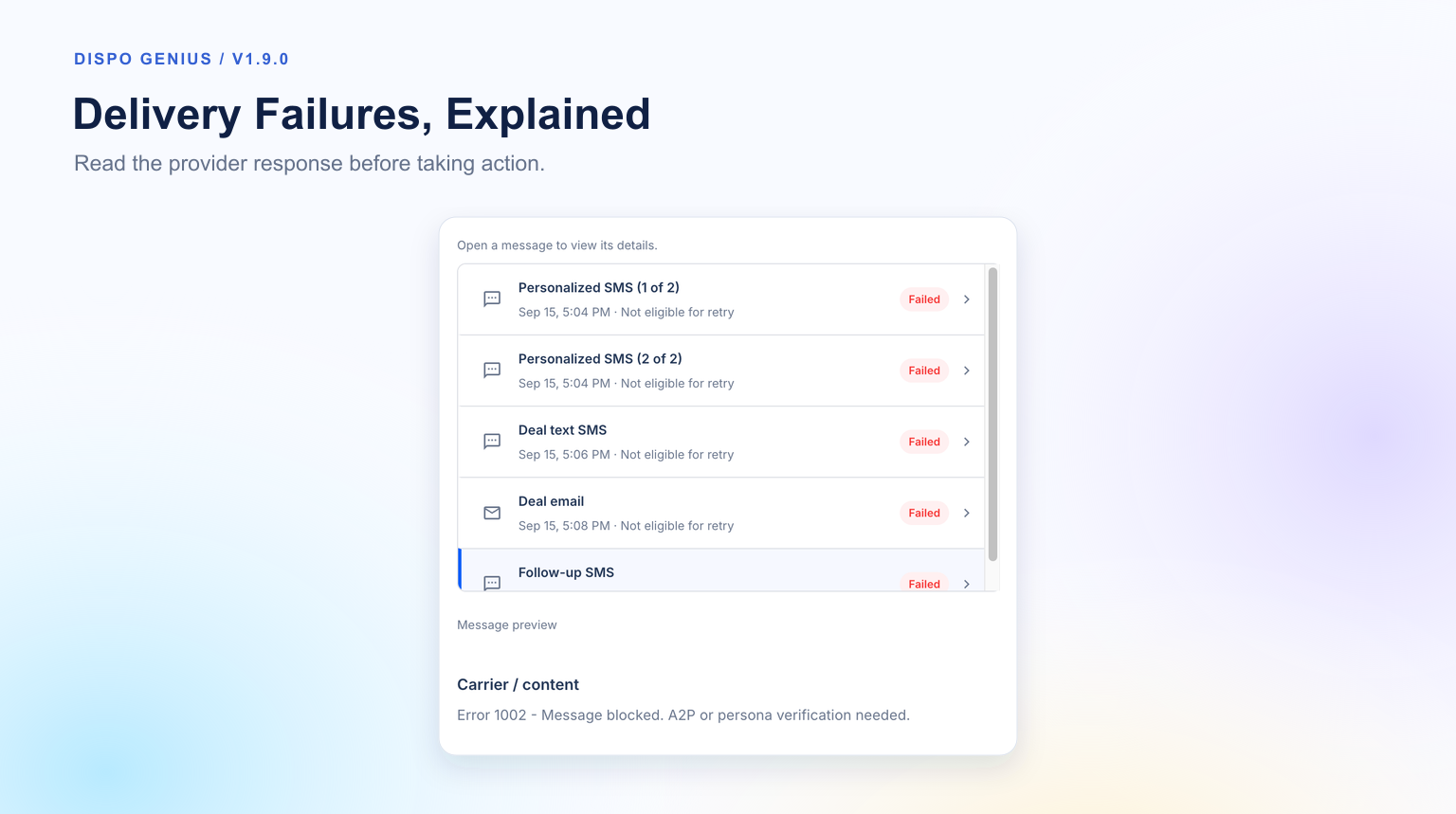
Image 2: Delivery Failures, Explained
Clear delivery views: Switch between All, Delivered, Pending, and Failed.
Failure details: See available failure reasons and message attempt history.
Individual or bulk retries: Select eligible messages to retry.
Review before retrying: Edit and preview supported message content before submitting another attempt.
Eligibility checks: Contacts with blocking issues, including opt-outs, stay excluded from retries.
Delivery statuses use updates from your messaging provider. Resolve the reported sending issue before retrying eligible messages.
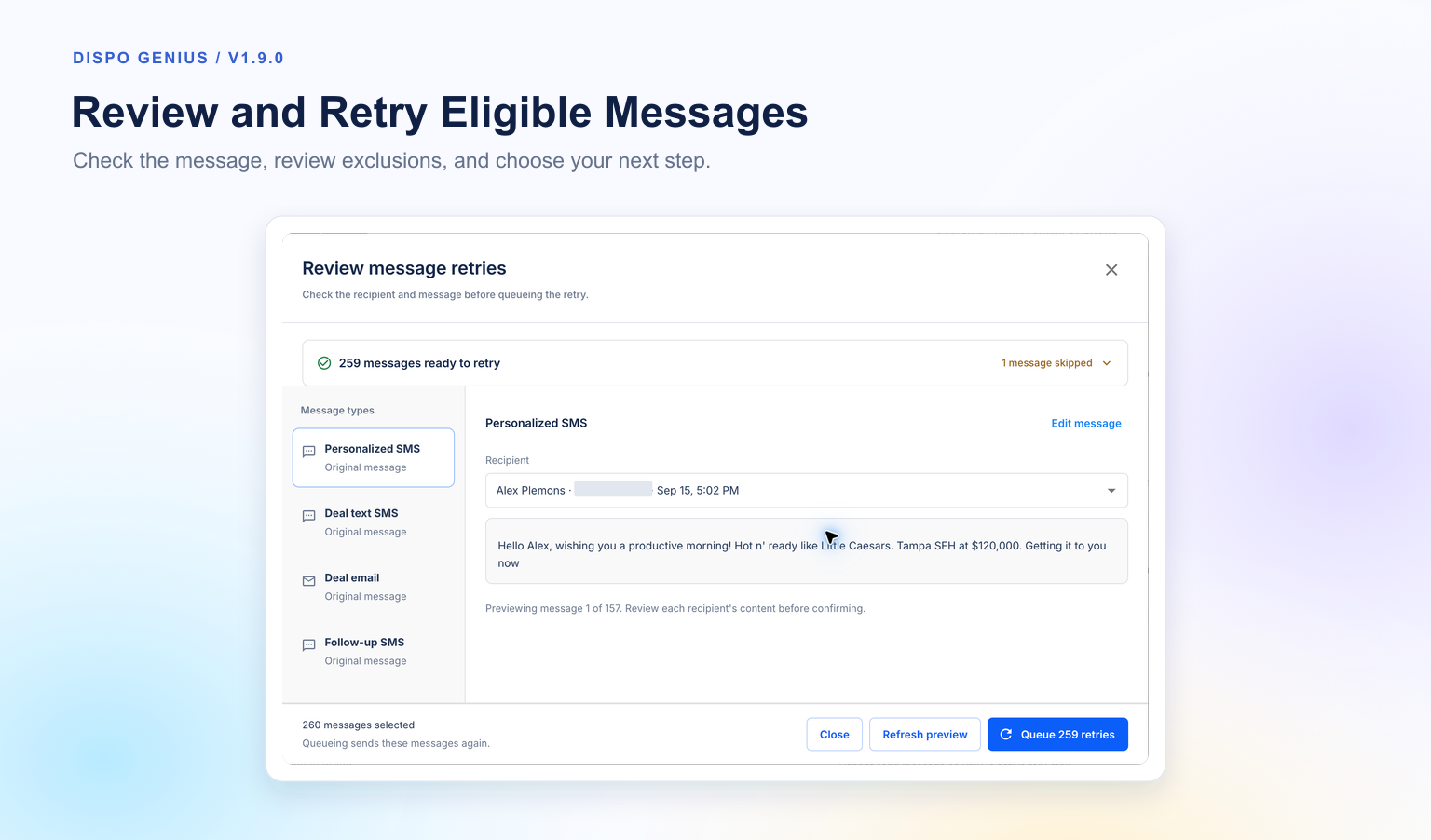
Image 3: Review and Retry Eligible Messages
 Personalized Bulk Buyer Messaging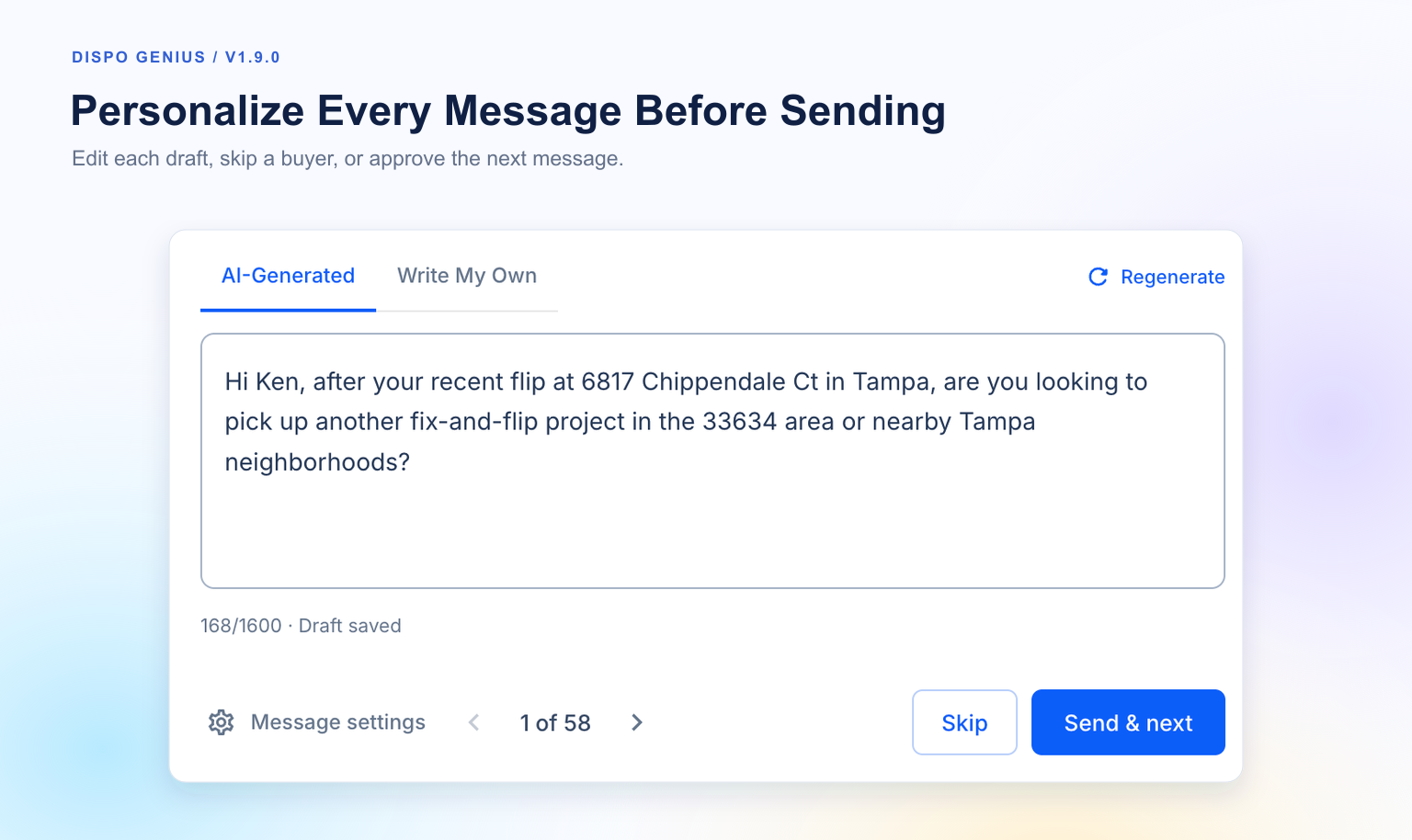
Image 4: Personalize Every Message Before Sending
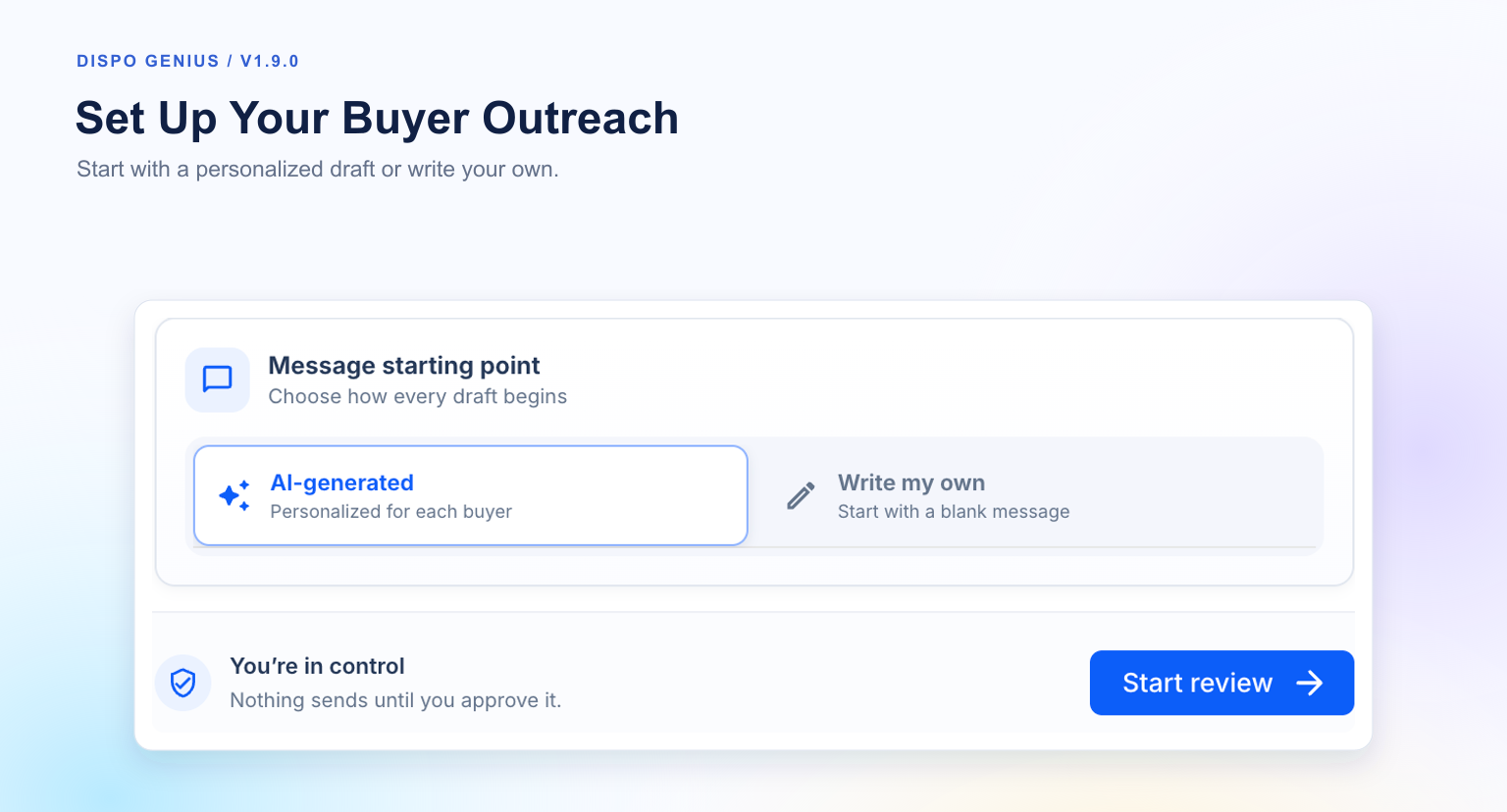
Image 5: Set Up Your Buyer Outreach
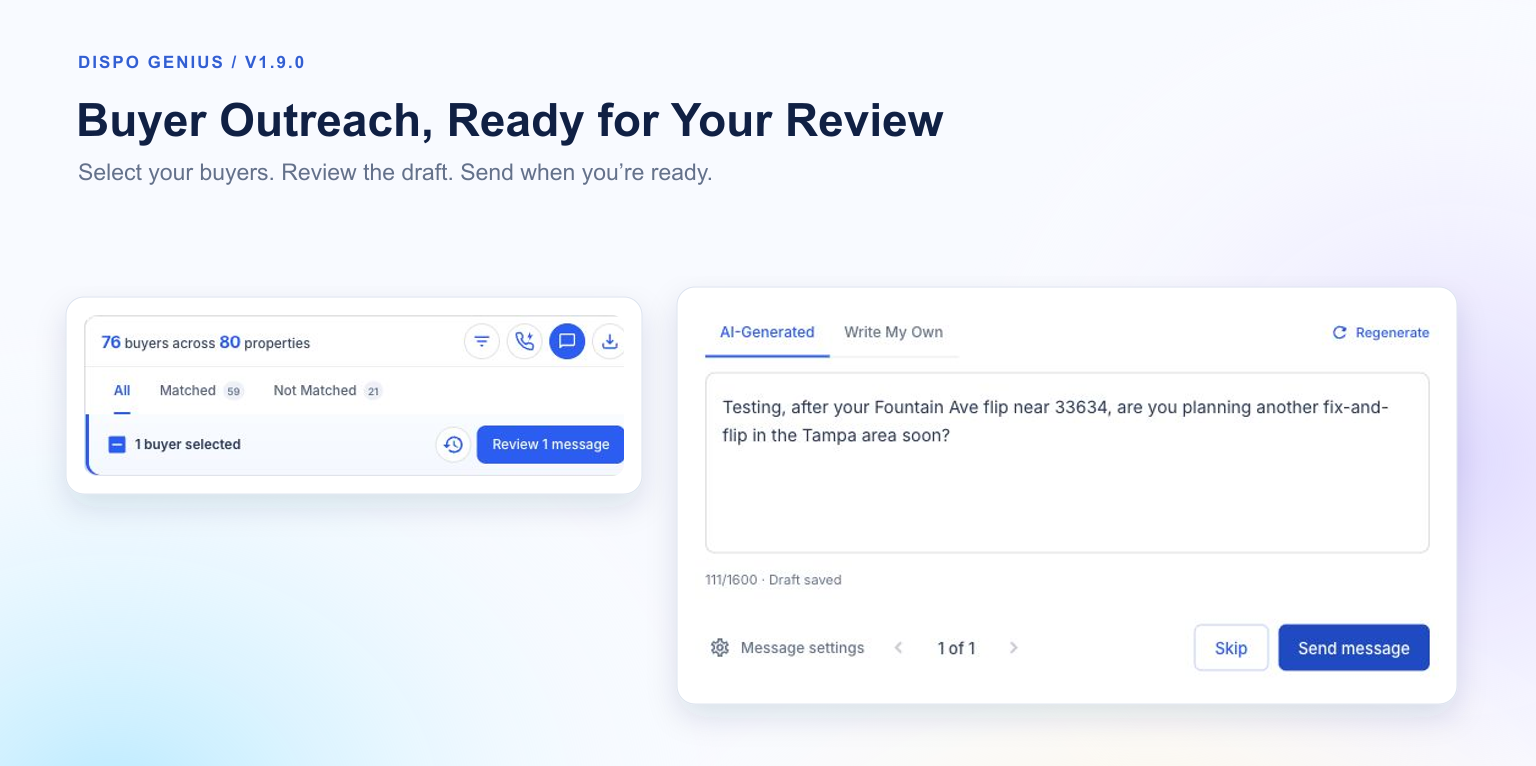
Image 6: Buyer Outreach, Ready for Your Review
Select multiple buyers in Genius Mode and work through a guided SMS review.
Your choice of message: Start with an AI-generated draft or write your own.
Review each recipient: Edit, regenerate, approve, or skip messages.
Keep moving: Use Send & next or Skip to move through your selected buyers.
Return to your work: Save a review and resume it later.
Keep prospects distinct: Sending outreach doesn’t automatically mark a contact as vetted.
 Power Dialer: Work Through Your Buyer List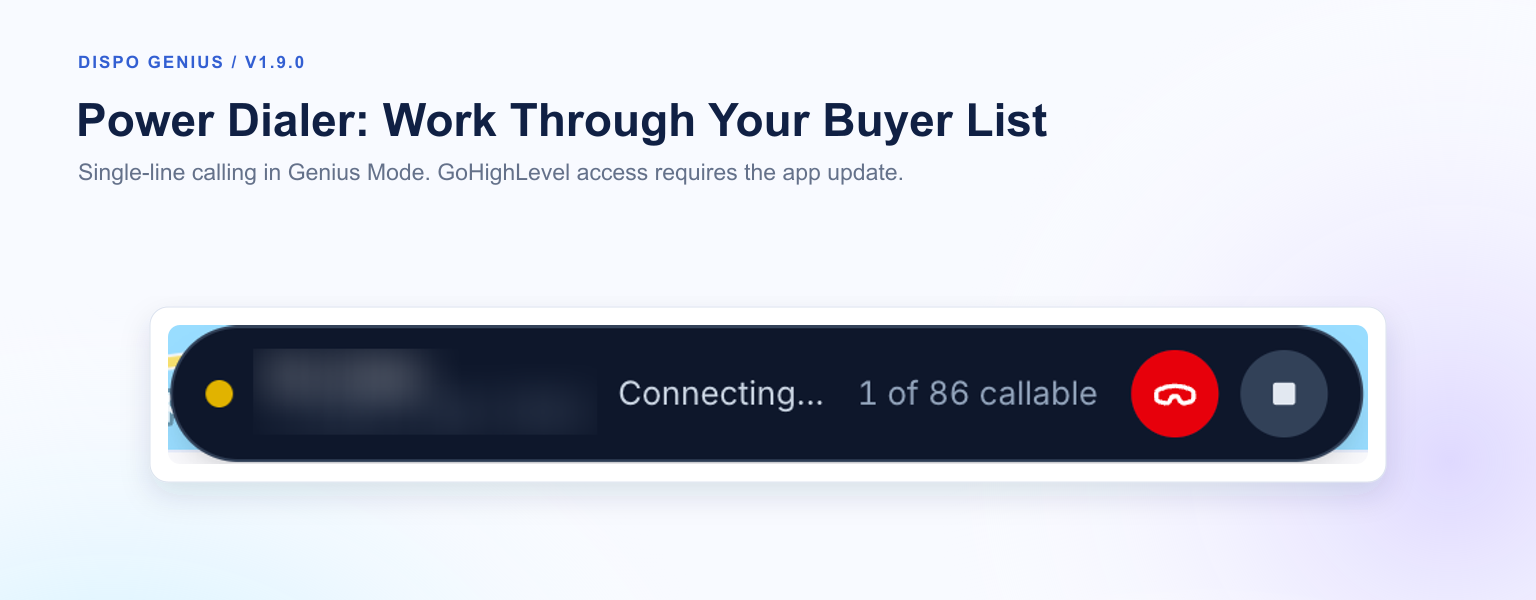
Image 7: Power Dialer: Work Through Your Buyer List
Power Dialer is live in Genius Mode. Work through your buyer list with single-line calling, queue progress, and calling controls in one place.
GoHighLevel access: This feature requires the GoHighLevel app update.
 Open Dispo Genius in Its Own Tab
The GoHighLevel app update also adds an option to open Dispo Genius in its own browser tab, giving you more room to work.
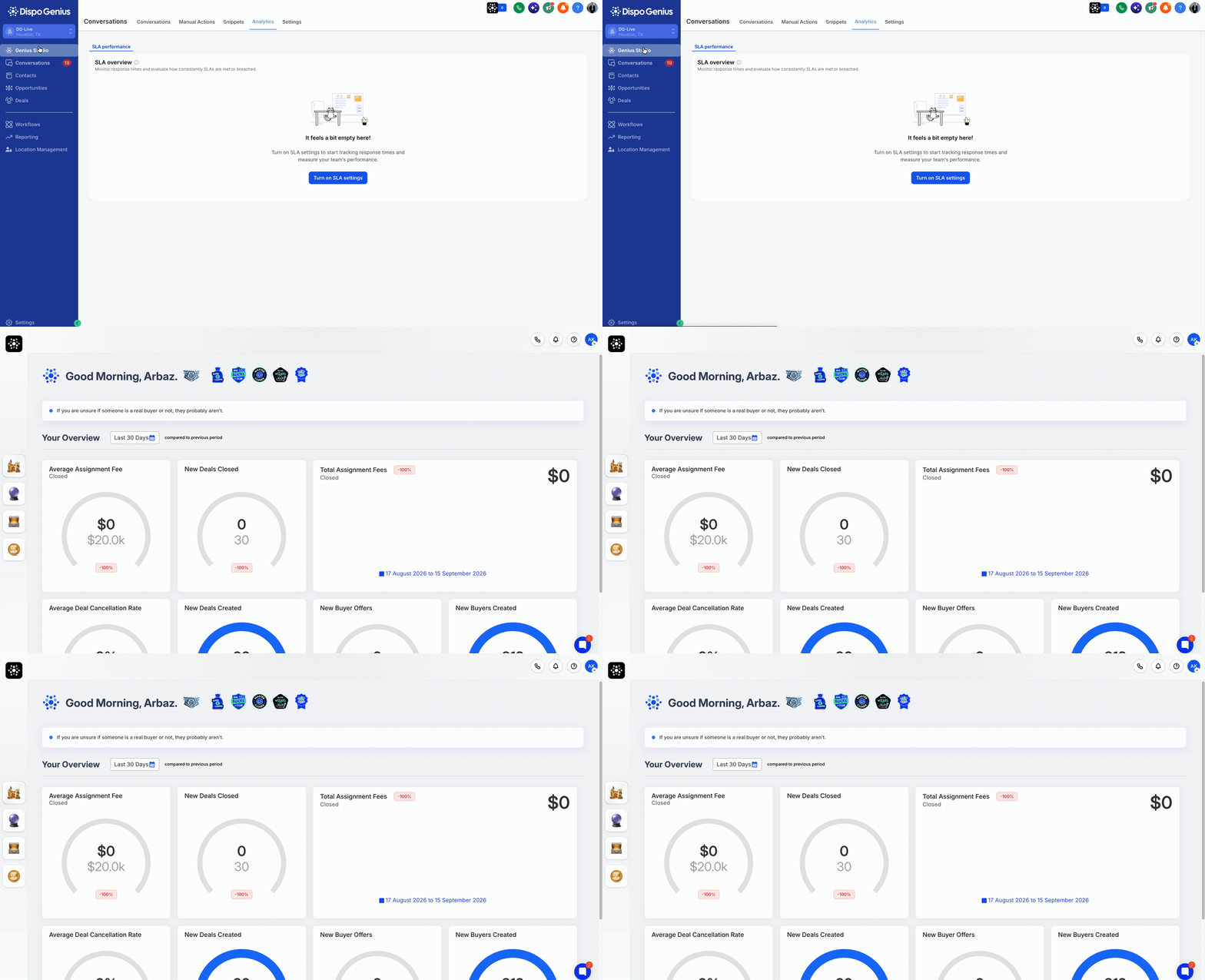
Image 8: Open Dispo Genius in Its Own Tab
 Public Listing Visibility Controls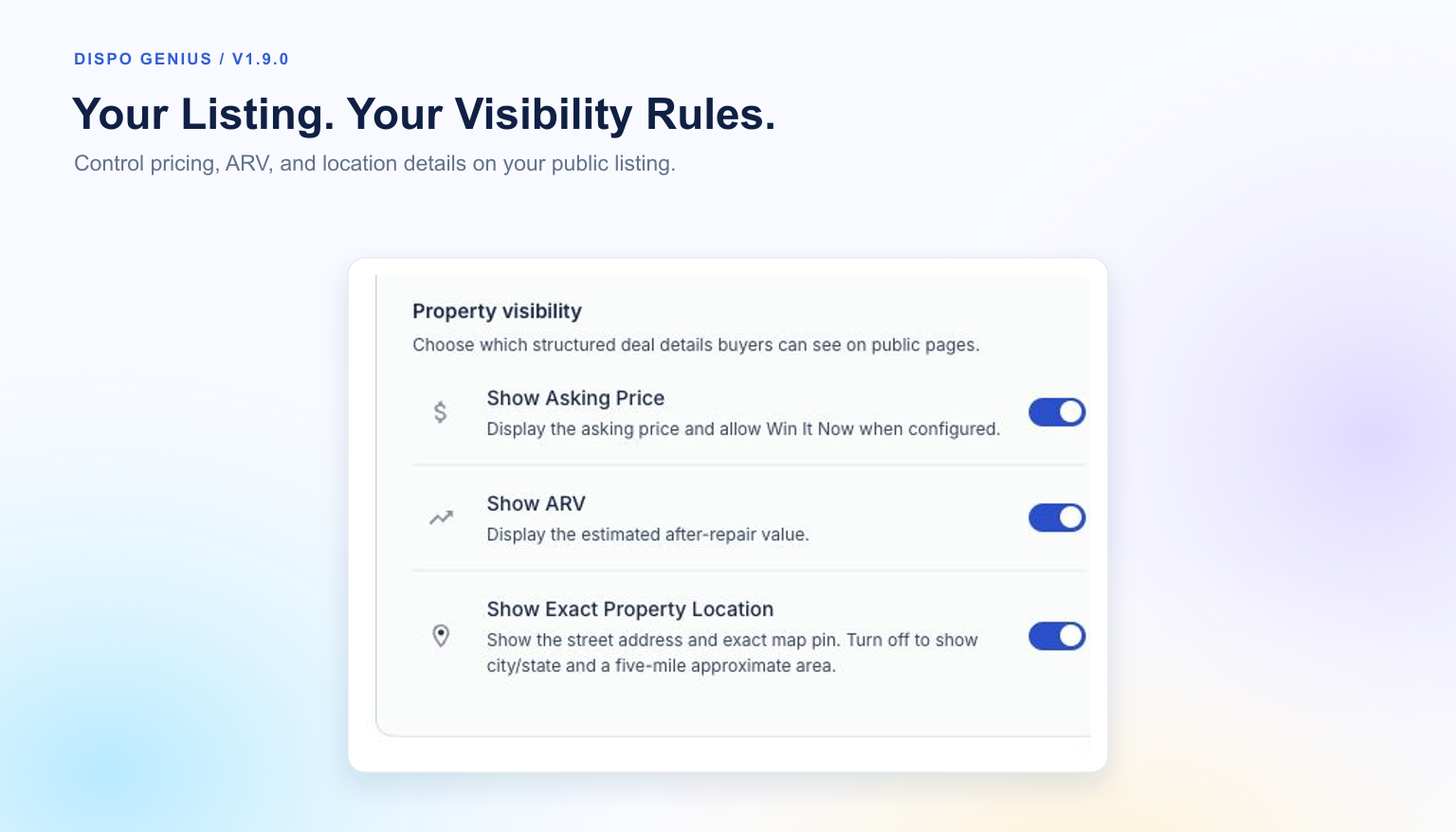
Image 9: Public Listing Visibility Controls
New controls in Branding and Visibility let you manage public deal information.

Image 10: Choose What Buyers See
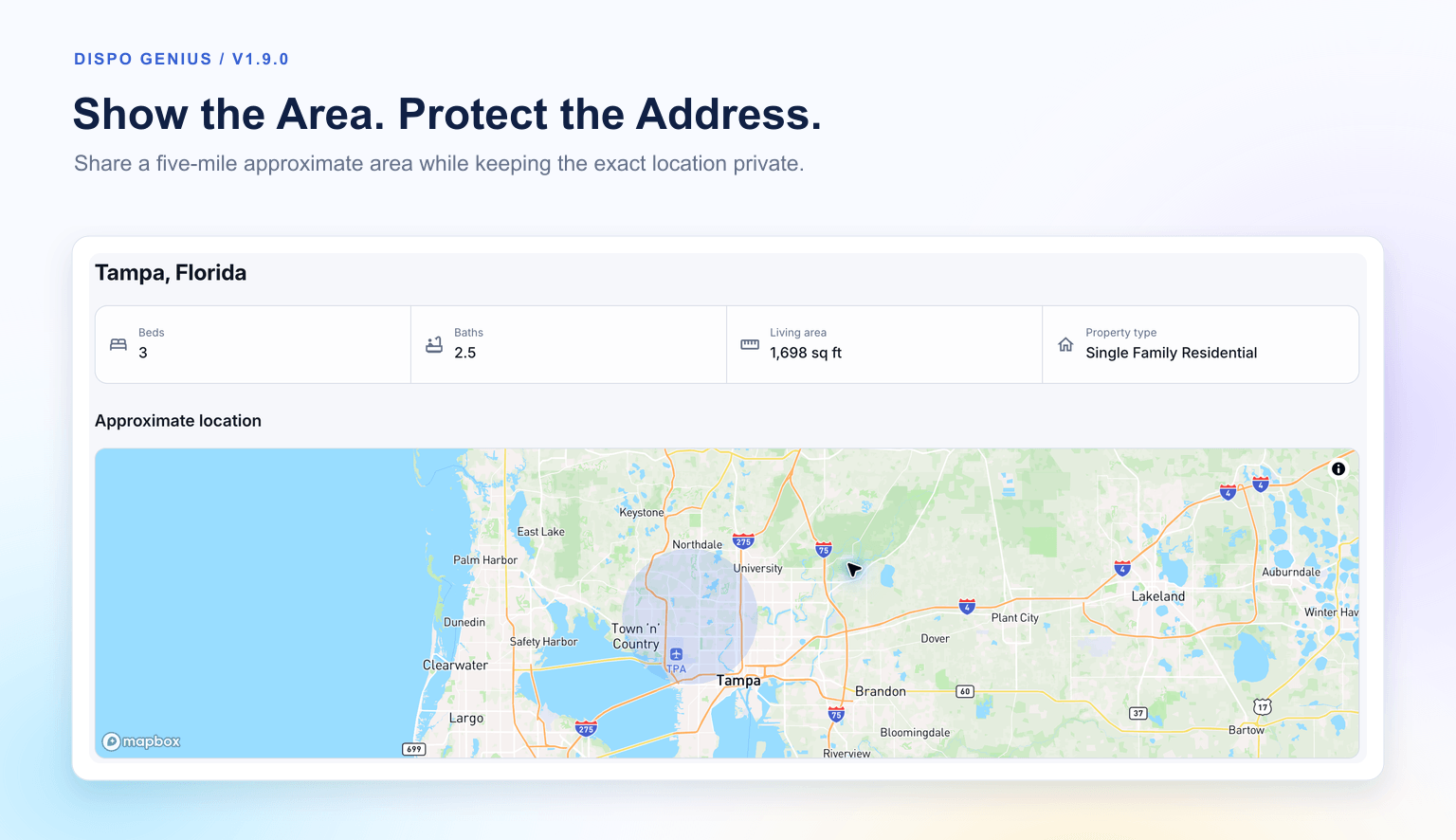
Image 11: Approximate Location on Mapbox
Asking price: Choose whether it appears publicly. Hiding the price also removes the public Win It Now action.
ARV: Show or hide the after-repair value.
Exact location: Hide the street address and exact map pin, showing city/state and a five-mile approximate area instead.
Preview your changes: Check the buyer-facing presentation while retaining the complete internal deal record.
Open a deal and go to Campaign Logs → Delivery to inspect message outcomes.
Select eligible messages, review the retry preview, and submit another attempt.
In Genius Mode, select buyers and open the guided messaging review.
Open the deal’s Branding and Visibility controls to adjust public listing details.
More Improvements and Bug fixesMore consistent campaign audiences: Campaign messages follow your saved audience and exclusions, with better protection against outdated audience changes.
Easier email links: Use the marketing-link shortcut, edit hyperlinks more easily, and keep linked text inline.
More reliable test messages: Dynamic marketing links and custom hyperlink labels resolve correctly in supported test emails.
Preserved email subjects: The test-recipient and subject fields now have separate autofill handling to prevent recipient details from replacing the subject.
Smoother deal navigation: Switching tabs no longer unexpectedly returns you to Campaign Logs.
Clearer Genius Mode activity: Phone controls and recent contact edits are preserved as enrichment updates arrive, with previews of available SMS history.
Improved API guidance: The Create deal reference now explains optional property fallback fields and recovery from incomplete property data.